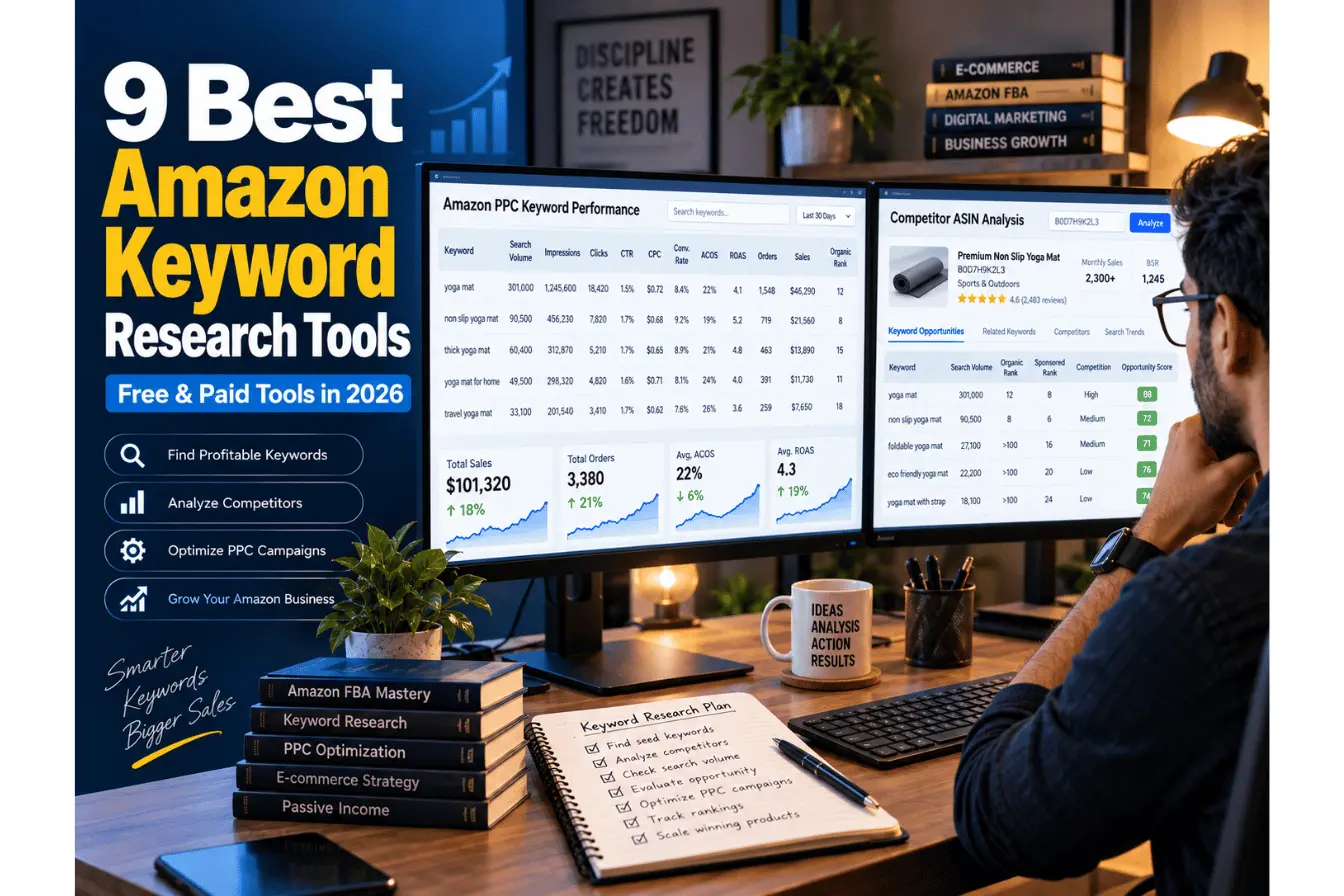
9 Best Amazon Keyword Research Tools (Free & Paid) in 2026 – Complete Buyer’s Guide
The A10 algorithm no longer ranks listings by search volume. It ranks them on whether a shopper who clicked actually bought, kept the item, and came back. That shift changes what Amazon keyword research tools actually need to deliver in 2026: a tool that hands you a list of high-volume terms with no read on buyer intent is giving you half the picture, and it’s the half that no longer moves the needle as much.
Picking the right keyword tool still decides whether you land on page one or burn ad spend chasing terms nobody converts on. I tested and cross-referenced pricing, feature sets, and data sourcing on the nine platforms below: full-suite systems, budget-friendly single-purpose apps, and free tools worth bookmarking. Here’s what’s actually worth paying for in 2026, and what isn’t.
Read More: Keyword Research for a New Blog (Step-by-Step Guide)
The 9 Best Amazon Keyword Research Tools Tested in 2026
1. Helium 10 (Best Full-Suite Platform)
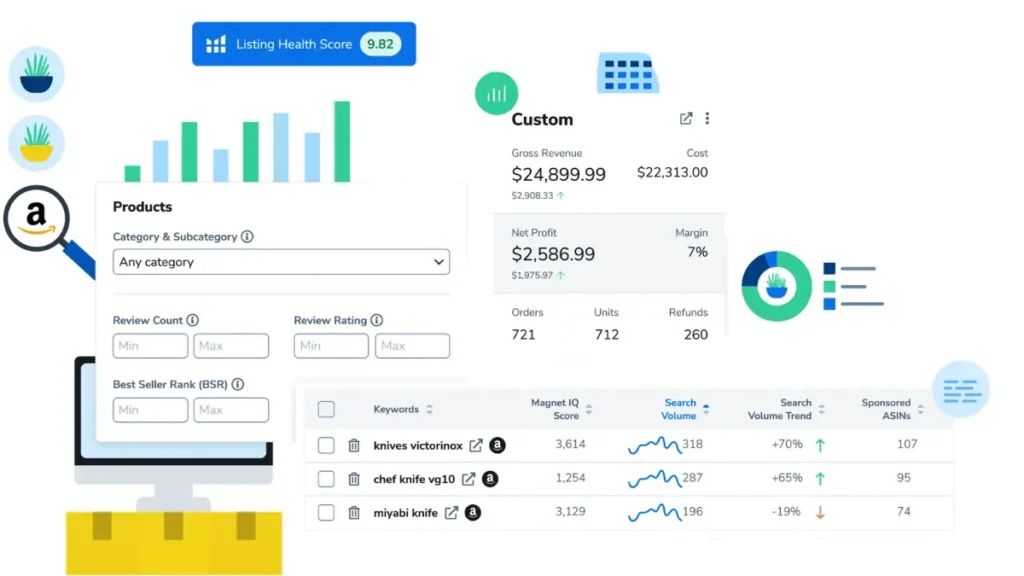
Helium 10 is still the industry standard for sellers running PPC at real volume, and Cerebro is the reason. Paste in a competitor ASIN, and it returns every keyword that ASIN ranks for – organic rank, sponsored rank, search volume, and an IQ Score that flags high-opportunity terms. Testers routinely find Cerebro surfaces significantly more usable keywords per ASIN than rival reverse-ASIN tools. The catch: 2026 pricing changes make it a harder sell for anyone still validating their first product.
Key Features:
- Cerebro – reverse ASIN lookup; input a competitor’s ASIN to pull its full organic and sponsored keyword footprint
- Magnet – forward keyword discovery; a single seed term can expand into 5,000–15,000 related keywords with search frequency rank (SFR) and click-share data
- Adtomic – PPC automation, now bundled into the entry paid tier with a 2% ad-spend management fee
- Frankenstein – cleans and de-duplicates bulk keyword exports before you paste them into a listing
Pricing Model:
The $39/month Starter plan was retired in Q1 2026, making Platinum ($129/month, or $99/month billed annually) the new entry point. Diamond runs $359/month ($279 annually), and Enterprise is custom-quoted. A free plan still exists but locks Cerebro to 2 searches/day and caps X-Ray at 50 uses/month.
Best For: Established sellers with enough SKUs and PPC spend to justify a $99–$129/month floor.
2. Jungle Scout (Best for Beginners & Product Validation)
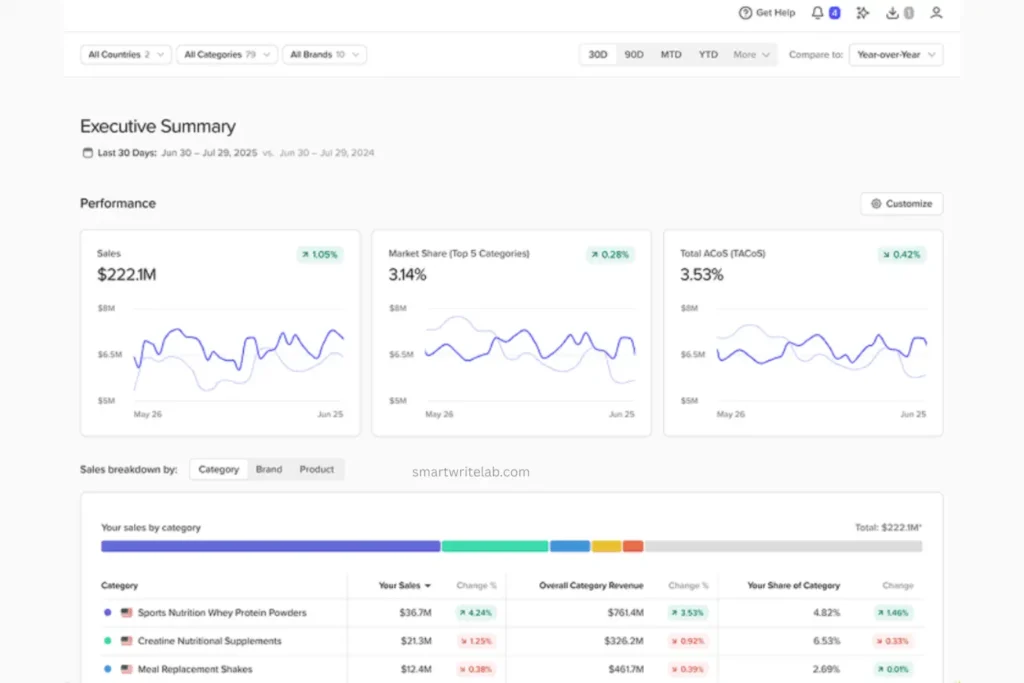
Jungle Scout’s Keyword Scout doesn’t try to overwhelm you with 15,000-row exports. It scores each keyword and organizes organic vs. sponsored search data into something a first-time seller can act on in an afternoon instead of a weekend. The 2026 rebrand to “Catalyst” plans (Starter, Growth Accelerator, Brand Owner + CI) replaced the old Basic/Suite/Professional naming, and the platform still leans hardest on product validation rather than deep keyword mining.
Key Features:
- Keyword Scout – organic and sponsored search data, with a proprietary “keyword score” instead of a raw volume number
- Opportunity Finder – surfaces underserved niches using up to a year of keyword-demand history on higher tiers
- AI Listing Builder – drafts keyword-rich titles and bullets from your Keyword Scout exports
- Reverse ASIN keyword lookup – see which terms a competitor wins organically and via ads
Pricing Model:
Starter runs roughly $29/month, Growth Accelerator around $49/month, and Brand Owner + CI near $129/month (all with lower effective rates on annual billing). There’s no free trial, but Jungle Scout backs new signups with a 7-day money-back guarantee.
Best For: New-to-Amazon sellers who need product validation and keyword research in one interface without a steep learning curve.
3. SmartScout (Best for Brand & Category Share Analysis)
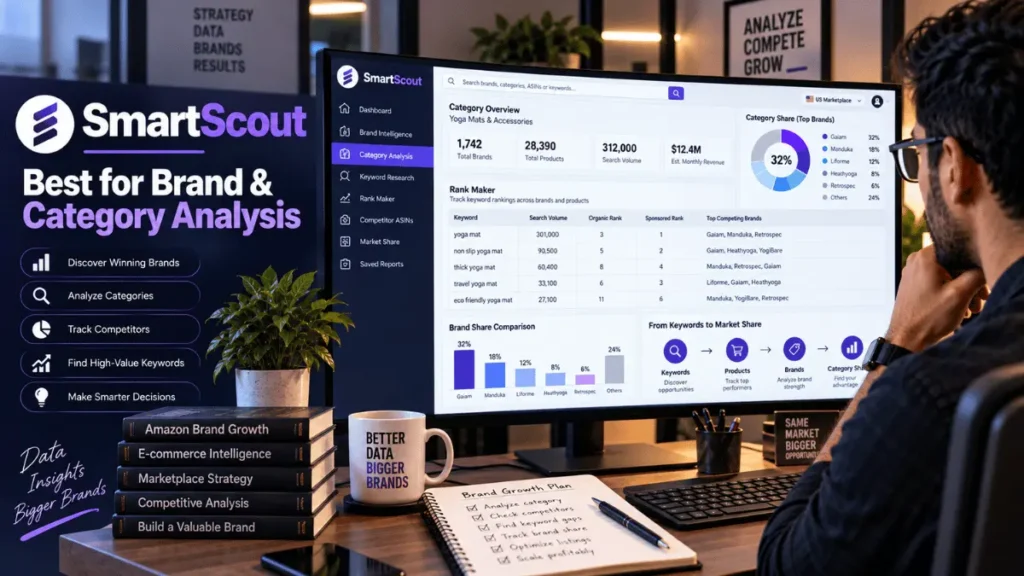
SmartScout doesn’t start at the keyword level; it starts at the brand and category level, then zooms in. That top-down view is genuinely different from Helium 10 or Jungle Scout, and it’s the reason SmartScout keeps coming up when sellers talk about wholesale sourcing and acquisition targets. Rank Maker (its reverse ASIN and keyword-tracking tool) isn’t as deep as Cerebro, but paired with Ad Spy, which shows exactly which keywords competitors are paying for, it gives a stronger read on which terms are actually converting.
Key Features:
- Rank Maker – reverse ASIN lookup plus organic rank tracking over time
- Keyword Detective – a Venn-diagram view of shared vs. unique keywords across multiple ASINs, useful for spotting gaps
- Ad Spy – reveals the exact keywords competitors bid on in Amazon PPC, a stronger buying signal than organic rank alone
- Free Chrome Extension – 1,000 monthly lookups with product scores and FBA profit calculations, no credit card required
Pricing Model:
Basic is $49/month ($20/month annually), Essentials is $119/month ($99/month annually) and unlocks the Search Terms database and rank tracking, Business is $299/month ($239/month annually) and adds full category-map access and data exports.
Best For: Brand owners, wholesale sellers, and anyone evaluating acquisition targets who needs category-level share data, not just a keyword list.
4. AMZScout (Best Budget-Friendly Paid Alternative)
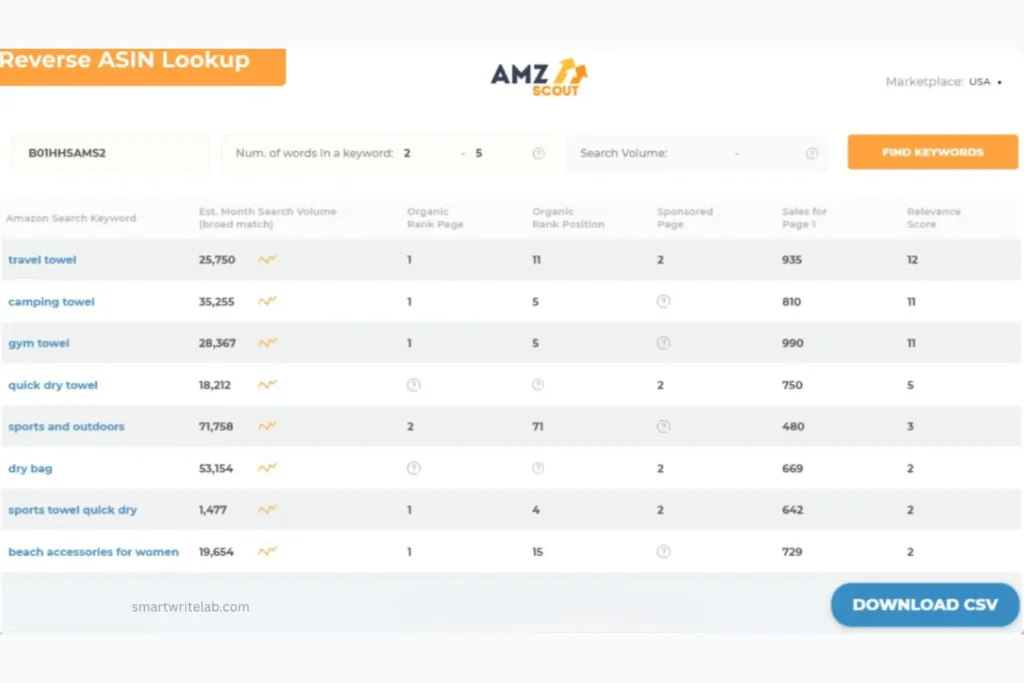
AMZScout won’t out-feature Helium 10, and it doesn’t try to. Reverse ASIN Lookup 2.0 and its keyword search tool cover the core job of finding what competitors rank for and validating seed keywords at roughly a third of the entry price of the bigger suites. The trade-off is thin filtering: you can’t slice results by much beyond keyword count and search volume, so heavy keyword clustering work still means exporting to a spreadsheet.
Key Features:
- Reverse ASIN Lookup 2.0 – pull the full keyword list behind any competitor ASIN, across up to 12 Amazon marketplaces
- Amazon Keyword Search – seed-keyword expansion with estimated search volume
- Keyword Tracker – monitor organic keyword position for PPC optimization
- AI Listing Builder – auto-drafts listing copy from your exported keyword set
Pricing Model:
The Amazon Sellers Bundle runs from roughly $45–$60/month, up to $399.99/year on annual billing, with lifetime-access options priced up to $1,599.99.
Best For: Budget-conscious sellers and arbitrage/private-label beginners who want reverse ASIN data without a three-figure monthly bill.
5. MerchantWords (Best for Long-Tail Shopper Data)
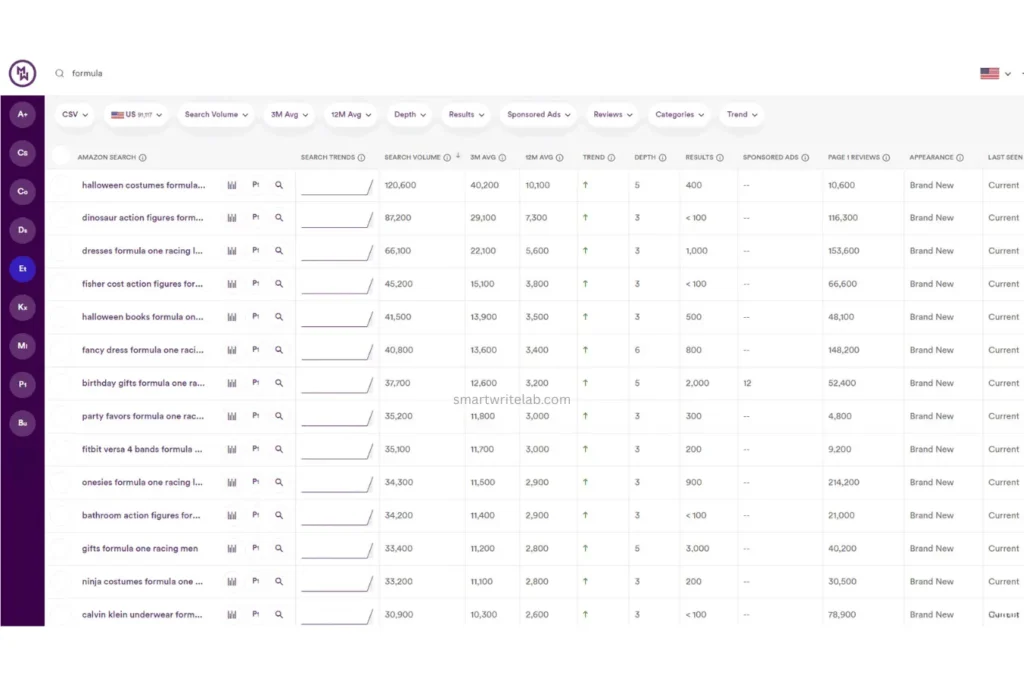
MerchantWords doesn’t estimate what shoppers search for – it pulls directly from Amazon’s own autocomplete search bar, refreshed roughly every 3–4 weeks. That makes it one of the more literal sources of long-tail phrases for backend terms and PPC broad-match seeding, though sellers who want daily-fresh data or deep competitor tracking will find the feature set thinner than a full suite.
Key Features:
- Shopper search-query database sourced from Amazon’s live autocomplete data, not third-party estimates
- Multi-marketplace coverage (US, UK, Canada, Germany, and other regional Amazon sites)
- Search-rank and sponsored-flag columns showing whether a top result is paid or organic
- Keyword export tools built for backend search-term fields
Pricing Model:
Entry-level single-marketplace plans run around $35/month, with worldwide multi-marketplace data closer to $79/month; higher Platinum/Enterprise tiers add seats and API access.
Best For: Sellers building large backend keyword lists who want raw shopper-search phrasing rather than a scored or filtered database.
Read More: 7 Best Free Keyword Research Tools in 2026 (Tested & Compared)
6. DataDive (Best for Keyword Clustering)
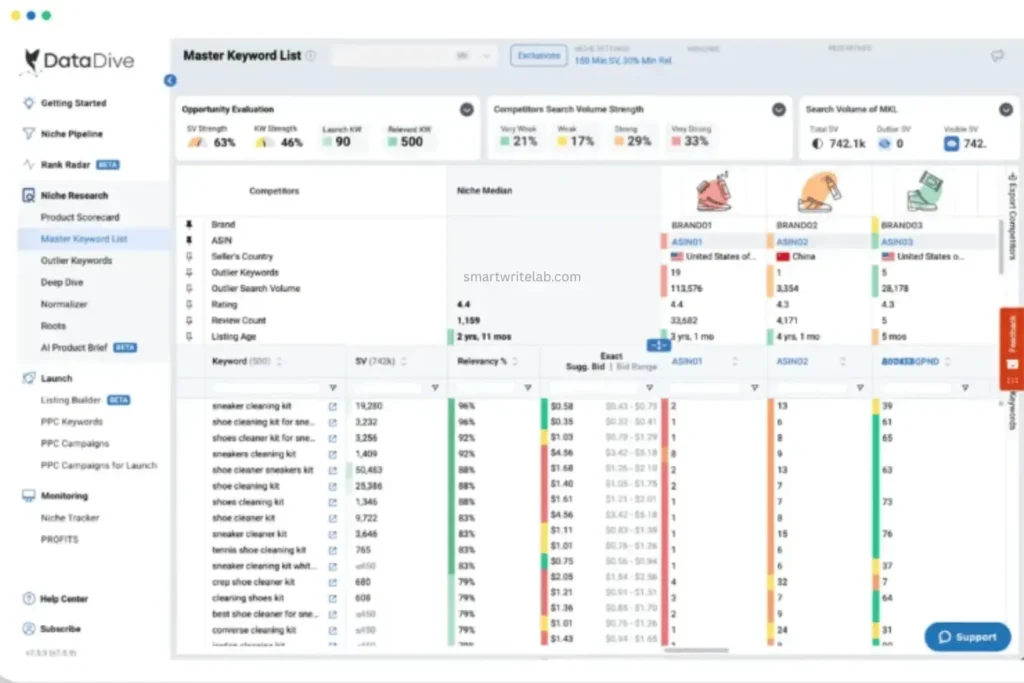
Where most tools hand you a flat keyword list, DataDive groups related terms into semantic clusters — the kind of grouping that tells you “waterproof” and “non-slip” belong in the same bullet point for a yoga mat, while “extra thick” belongs in a different cluster entirely. Built by an 8-figure seller and pulling data from Jungle Scout, Keepa, and Google Trends simultaneously, it’s positioned as a complement to a full suite rather than a replacement – this is not a beginner’s first tool.
Key Features:
- Master Keyword List (MKL) – clusters keywords by semantic and buyer-intent similarity, then maps clusters to title/bullet/backend placement
- Rank Radar – daily (not weekly) organic rank tracking, useful during active PPC adjustments
- AI Copywriter – drafts listing copy directly from clustered keyword groups
- PPC Campaign Builder – deploys keyword clusters straight into ad campaigns
Pricing Model:
Starter is around $32/month, Standard around $124/month (1,000 tracked ASINs), and Enterprise around $408/month (4,000 ASINs, 12,000 tracked keywords). Coupon codes commonly bring Starter closer to $31/month.
Best For: Established sellers and agencies managing multiple ASINs who need keywords pre-organized by buyer intent, not just by volume.
7. KeywordTool.io (Best Freemium Tool for Autocomplete Data)
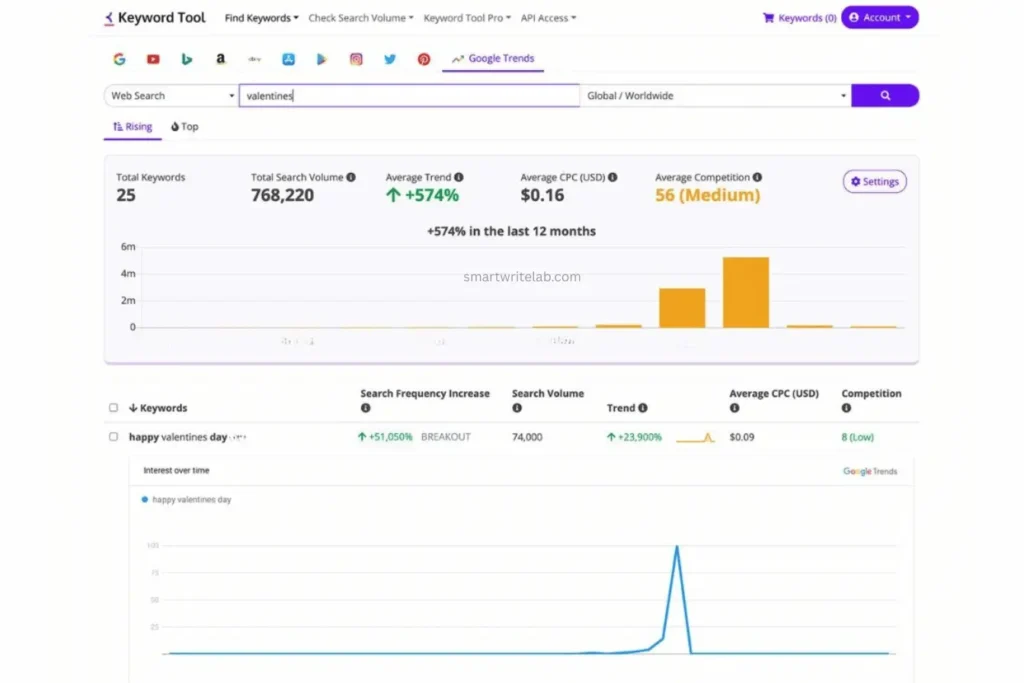
KeywordTool.io‘s one real advantage is breadth; it pulls autocomplete suggestions from Amazon alongside Google, Bing, YouTube, and Pinterest in a single interface. For Amazon-only research, that’s a mixed blessing: since Amazon doesn’t publish true search-volume data, the “volume” shown is an estimate layered on top of autocomplete frequency, not a first-party number. The free tier works for occasional seed-keyword expansion; the $89+/month paid tier is harder to justify if Amazon is your only channel.
Key Features:
- Autocomplete-based keyword expansion across five+ platforms, including Amazon
- Free tier available; Keyword Tool Pro roughly doubles the Amazon keyword results per search
- Estimated search-volume overlay (not Amazon’s own data)
- Export to CSV for bulk backend keyword building
Pricing Model:
Free version available with capped results; paid plans start around $68/month and range up to $628/month for higher volume and export limits.
Best For: Sellers who also run Google, YouTube, or Pinterest listings and want one autocomplete tool instead of three.
8. Keyword Tool Dominator (Best for Live Search Suggestions)
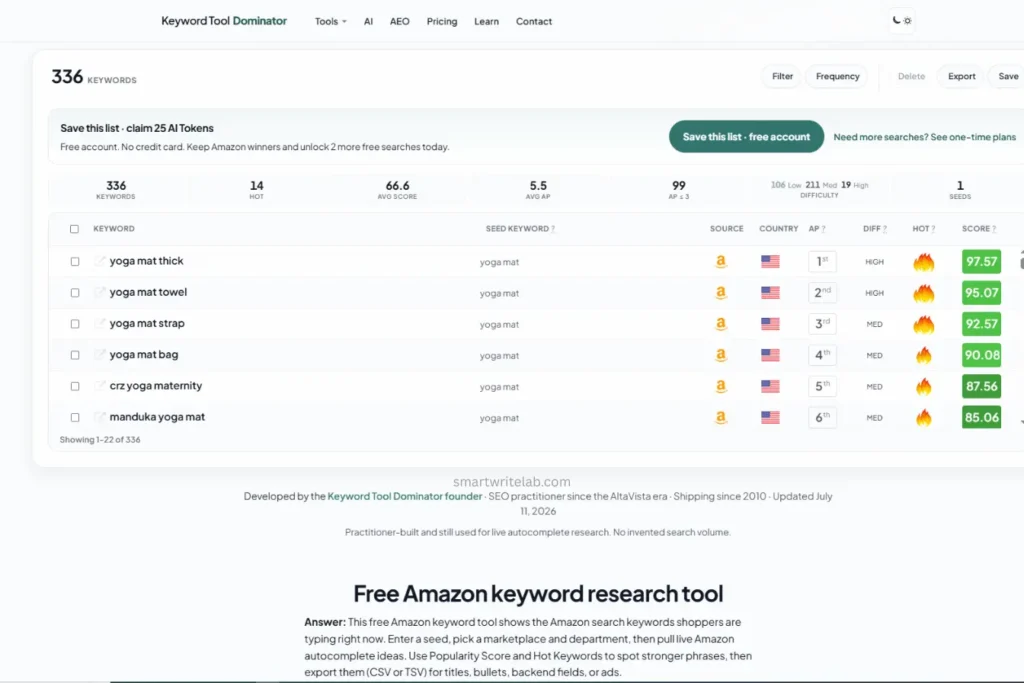
Running since 2010 with a stated 300,000+ registered users, Keyword Tool Dominator’s whole pitch is refreshing honesty: it shows a Popularity Score relative to your own result set, not an invented absolute monthly search volume, which is a fair way to represent data Amazon simply doesn’t release. Four search modes (Normal, Broad, Precise, Experimental) let you dial from safe head terms to aggressive long-tail expansion. The free tier’s daily cap is the real limitation for anyone doing serious volume.
Key Features:
- Live Amazon autocomplete pulled in real time, across multiple marketplaces and departments (including a dedicated mode for KDP/book keywords)
- Popularity Score and “Hot Keywords” flagging, scaled relative to your results rather than an absolute number
- Four search-expansion modes for controlling how aggressively seed terms branch into suggestions
- One-time “Max Lifetime” payment option for unlimited searches, instead of a recurring subscription
Pricing Model:
Free tier: 2 searches/day per keyword source. Paid plans raise daily limits; a lifetime-access option removes the cap entirely for a one-time fee.
Best For: Sellers who want live, current autocomplete suggestions on a tight or zero budget and don’t need reverse ASIN or rank tracking.
9. SoldScope (Best Free Reverse ASIN Search)
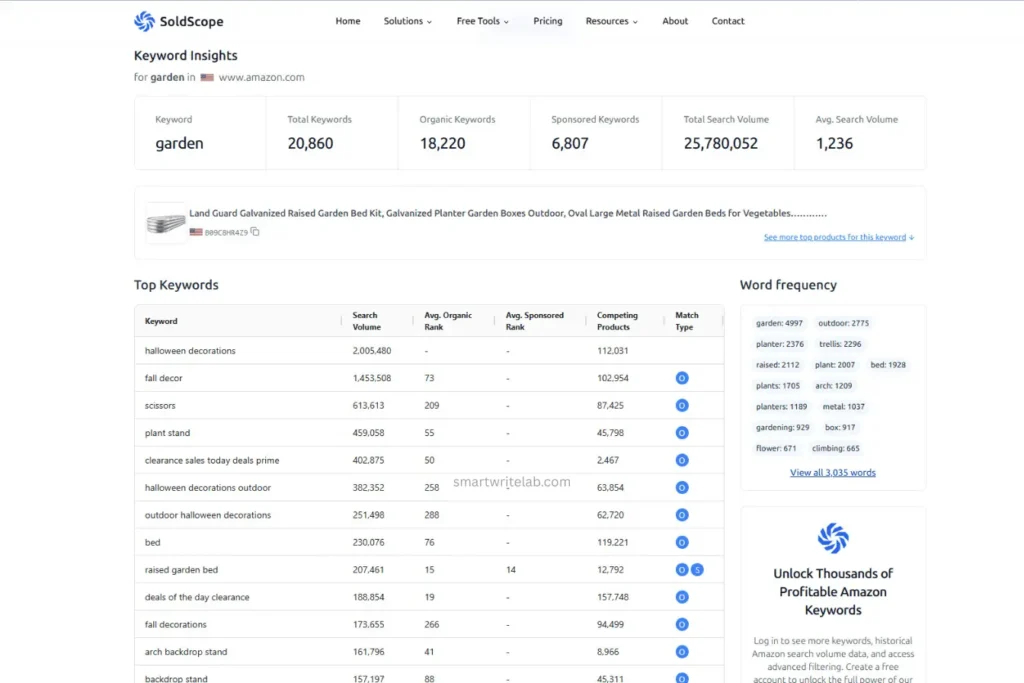
Free reverse ASIN tools are usually a compromise: thin data, tiny result caps. SoldScope is the exception worth bookmarking: enter up to 10 ASINs, and it returns the keywords those listings rank for, the competing product count, and category context, all without linking a Seller Central account. Sellers enrolled in Brand Registry who connect their SP-API unlock official Search Frequency Rank, Click Share, and Conversion Share on top — data that’s normally locked behind Amazon’s own Brand Analytics.
Key Features:
- Free reverse ASIN lookup (up to 10 ASINs per search) sourced from public Amazon search-results data
- Extracts backend-search-term candidates aimed at filling the 249-byte limit without repeating title words
- Optional SP-API connection for Brand Registry sellers to unlock official Search Frequency Rank and Click/Conversion Share
- Bonus ASIN-to-UPC/EAN converter for cross-platform listing work
Best For: Sellers who want a genuine reverse ASIN lookup, not just autocomplete suggestions — without paying for it.
Quick Comparison: Amazon Keyword Research Tools (Free vs. Paid)
| Tool | Primary Feature | Price Range | Best For |
|---|---|---|---|
| Helium 10 | Cerebro (reverse ASIN) + Magnet (discovery) | Paid — from $129/mo ($99/mo annual): limited free tier | Established sellers running PPC at scale |
| Jungle Scout | Keyword Scout + product validation | Paid from $49/mo | Beginners validating their first product |
| SmartScout | Rank Maker + brand/category share data | Paid from $29/mo: free Chrome extension | Brand owners, wholesale, acquisition research |
| AMZScout | Reverse ASIN Lookup2.0 | Paid from $45 –60/mo | Budget-conscious beginners |
| MerchantWords | Live shopper autocomplete database | Paid from $35/mo | Long-tail backend keyword building |
| DataDive | Semantic Keyword clustering | Paid from $32/mo | Multi-ASIN sellers and agencies |
| KeywordTool.io | Cross-platform autocomplete | Freemium — paid from $68/mo | Sellers on Amazon + Google/YouTube |
| Keyword Tool Dominator | Live search suggestions + Popularity Score | Free (2 searches/day) or one-time lifetime fee | Zero-budget live autocomplete research |
| SoldScope | Free reverse ASIN search | Free | No-cost reverse ASIN lookups |
How to Optimize Your Listings for the Amazon A10 Algorithm
- A10 still reads keywords – it just no longer rewards keyword density on its own. Placement, relevance, and how the keyword connects to actual buyer intent now matter more than raw repetition.
- Product Title: Your 2–3 highest-volume, highest-relevance keywords, front-loaded. This is the strongest indexing signal you control, so don’t waste it on filler adjectives.
- Bullet Points: Secondary keywords woven into buyer benefits, not a keyword dump. A10’s semantic matching favors natural phrasing that mirrors how a shopper would actually describe their problem.
- Backend Search Terms: Strict adherence to the 249-byte limit. Never repeat a word already in your title: you’re not gaining extra indexing; you’re wasting bytes that could hold a genuinely new term (misspellings, synonyms, or regional phrasing your title doesn’t cover).
Try Our Free Amazon Keyword Research Tool
If you want to start Amazon keyword research without paying for an expensive subscription, try our Free Amazon Keyword Research Tool. You can enter a seed keyword and discover relevant keyword ideas, long-tail search terms, and potential opportunities to use in your product title, bullet points, backend search terms, and PPC campaigns. It is a useful starting point for sellers who want to research keywords quickly before investing in a premium Amazon SEO platform.
Final Verdict
Nine Amazon keyword research tools, three tiers of budget, one hard rule: whatever you pick, cross-check it against actual conversion data before you commit ad spend to a keyword. A10 doesn’t care how a term scored in your research tool – it cares whether the shopper who clicked actually bought. Helium 10 and DataDive earn their price tags for sellers running real PPC volume; SmartScout and AMZScout make sense if you need core reverse ASIN data without the full-suite bill; and SoldScope or Keyword Tool Dominator cover the basics for exactly $0.
What are you using to track your organic rank this Q4? Drop it below.
Frequently Asked Questions

Ravi Shankar Naval is the founder of Smart Write Lab, where he publishes practical content about AI tools, blogging, SEO, and digital growth. His goal is to help beginners and creators learn modern online strategies through simple, helpful, and easy-to-understand tutorials.