Grammarly AI Checker vs AI Detectors: Which One Is More Accurate? (2026)
AI detection tools are becoming more common in schools, universities, and content platforms. But here’s the problem:
Not all AI detectors are accurate. If you’re comparing Grammarly AI Checker vs AI detectors, you probably want to know:
- Which tool is more reliable?
- Do they produce false positives?
- Can they detect ChatGPT content?
- Are they safe for students and writers?
This guide breaks everything down clearly, based on features, accuracy patterns, and real-world usage. No hype. No marketing. Just a practical comparison.
What Is Grammarly AI Checker?
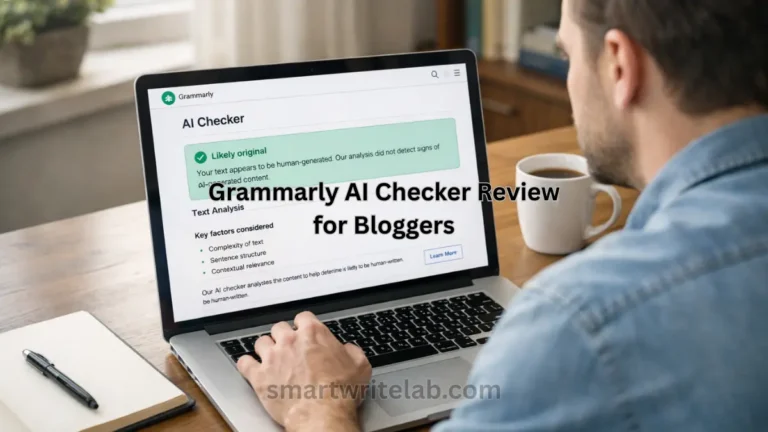
Grammarly AI Checker is a feature built into Grammarly that claims to estimate whether text is AI-generated.
It works by analyzing:
- Sentence patterns
- Predictability
- Writing structure
- Statistical language modeling
Grammarly provides:
- AI percentage estimate
- Highlighted sections
- General risk indication
It is integrated into Grammarly’s writing ecosystem, which makes it convenient for users already using Grammarly for editing.
You can read this article for real reviews of Grammarly AI Checker: Grammarly AI Checker Review (Real Testing & Honest Results)
What Are AI Detection Tools?
AI detectors are standalone tools designed to analyze text and predict whether it was written by AI.
Common AI detection tools include:
- Turnitin AI Detection (used in academic settings)
- GPTZero
- Copyleaks AI Detector
- Originality AI
These tools use machine learning models trained to identify patterns typical of AI-generated text. However, no AI detector is 100% accurate.
How We Evaluate AI Detection Tools
When comparing Grammarly AI Checker vs AI detectors, we look at:
- Accuracy consistency
- False positives (human text flagged as AI)
- False negatives (AI text not detected)
- Transparency of scoring
- Ease of use
- Pricing
Accuracy is the most important factor.
Accuracy Comparison: Grammarly AI Checker vs AI Detectors
Accuracy is complex. AI detectors do not “know” if text is AI-generated. They estimate probability based on patterns.
Grammarly AI Checker
Strengths:
- Easy integration
- Simple interface
- Good for quick checks
Limitations:
- May flag well-written human text
- The percentage is an estimate, not proof
- Less detailed explanation compared to academic tools
Other AI Detection Tools
Standalone AI detectors often:
- Provide a deeper analysis
- Show probability breakdown
- Offer document-level reporting
However:
- Many tools produce inconsistent results
- False positives are common
- Edited AI text often bypasses detection
Important: Even academic tools like Turnitin state that AI detection is not fully reliable.
False Positive Analysis
False positives are a major issue in AI detection.
A false positive means:
Human-written content is labeled as AI-generated. This can be risky for:
- Students
- Academic writers
- Bloggers
Grammarly AI Checker sometimes flags:
- Highly structured writing
- Formal academic tone
- Very clean grammar
Other AI detectors also struggle with:
- Edited AI content
- Hybrid content (AI + human edits)
Feature Comparison Table
| Feature | Grammarly AI Checker | Other AI Detectors |
|---|---|---|
| Ease of Use | Very easy | Varies |
| Accuracy | Moderate | Varies |
| False Positives | Possible | Common |
| Detailed Reports | Limited | More detailed |
| Integration | Built into Grammarly | Standalone tools |
| Best For | Writers & students | Academic institutions |
Pricing Comparison
Grammarly AI Checker
- Included in the Grammarly platform
- Some features require a premium subscription
Other AI Detectors
- Some free versions
- Many require a paid subscription
- Academic tools are institution-based
If you are an individual user, Grammarly is more convenient. If you are an institution, specialized AI detectors may offer more reporting tools.
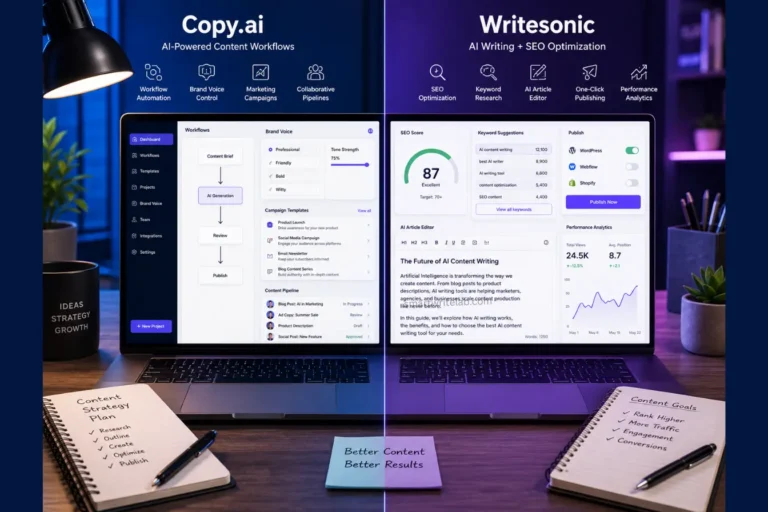
You can Also Read this comparison: Copy.ai vs. Writesonic: Which AI Tool is Actually Worth Your Time?
Real-World Use Case Comparison
For Students
Grammarly AI Checker:
- Good for self-check before submission
- Easy to use
Standalone AI detectors:
- Might provide more formal detection
- But still not 100% reliable
Important:
Students should not rely solely on AI detectors to “prove” originality.
For Bloggers and Content Creators
Grammarly AI Checker:
- Convenient if already using Grammarly
- Fast feedback
Other AI detectors:
- Useful for checking freelance submissions
- More reporting options
Pros and Cons
Grammarly AI Checker
| Pro | Cons |
|---|---|
| Integrated into a writing tool | Limited transparency |
| Easy to use | Can misclassify content |
| Beginner-friendly | Not institution-grade reporting |
| Quick results |
Other AI Detectors
| Pro | Cons |
|---|---|
| More detailed reports | Inconsistent results |
| Sometimes, higher detection sensitivity | High false positive rates |
| Used in academic environments | Can be expensive |
Which One Should You Choose?
If you are:
- A student: Use Grammarly AI Checker for quick self-checking, but understand it is not definitive proof.
- A blogger: Grammarly is convenient and practical.
- An academic institution: Dedicated AI detection tools may provide better documentation. The best AI detection tool depends on your purpose.
Important Reality About AI Detection
AI detection is still evolving.
No tool can guarantee:
- 100% accuracy
- Zero false positives
- Legal proof of AI usage
Use these tools as guidance, not as judgment.
Final Verdict: Grammarly AI Checker vs AI Detectors
There is no perfect winner.
Grammarly AI Checker is:
- Convenient
- Beginner-friendly
- Good for quick analysis
Standalone AI detectors are:
- More detailed
- Sometimes more strict
- Better for institutional use
But remember:
AI detection tools are probability-based systems. They assist decision-making — they do not provide absolute truth.

Ravi Shankar Naval is the founder of Smart Write Lab, where he publishes practical content about AI tools, blogging, SEO, and digital growth. His goal is to help beginners and creators learn modern online strategies through simple, helpful, and easy-to-understand tutorials.