
Grammarly AI Checker Review in Hindi (2026): क्या यह सच में सटीक है? (Live Accuracy Test)
Grammarly AI Checker एक बिल्ट-इन AI डिटेक्शन टूल है जो टेक्स्ट में ChatGPT, Claude या Gemini के पैटर्न की पहचान करता है। हमारे 2026 के लाइव टेस्ट में इसने Pure AI कंटेंट को 95% सटीकता से पकड़ा, लेकिन एडिट किए गए कंटेंट में इसकी सीमाएं सामने आईं।
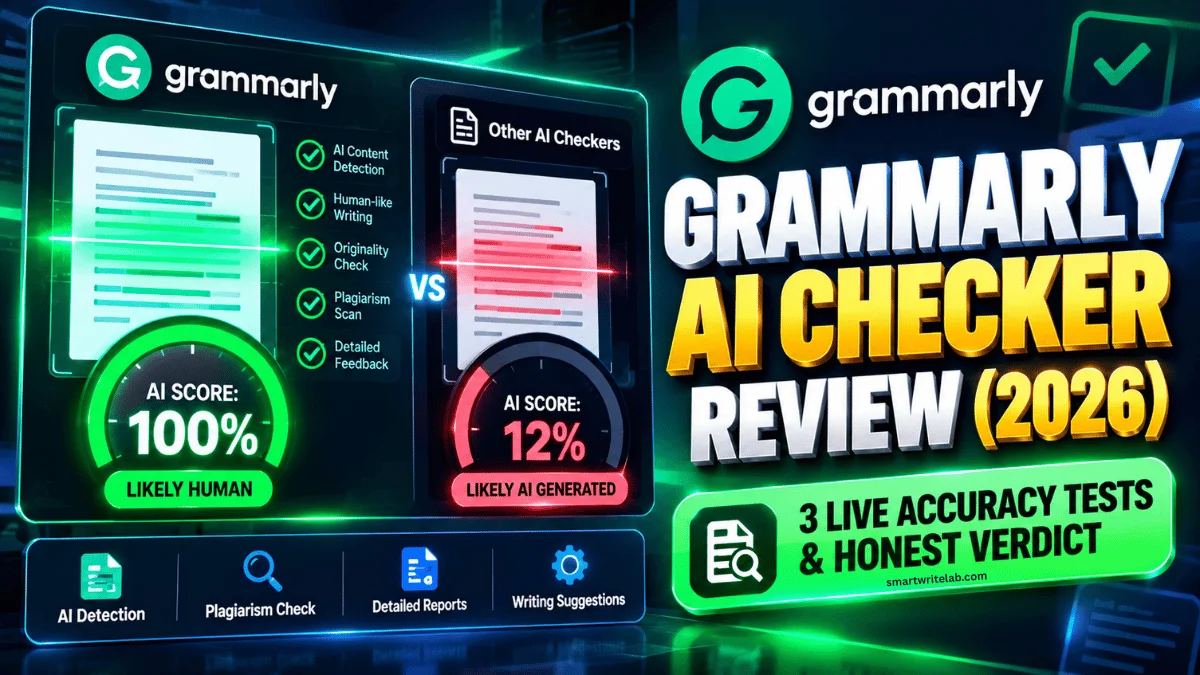
क्या आप भी कोई ब्लॉग पोस्ट, असाइनमेंट या क्लाइंट का आर्टिकल लिखने के बाद इस डर में रहते हैं कि कहीं वह AI Detector में पकड़ा न जाए? लगभग हर राइटर, स्टूडेंट और ब्लॉगर ग्रामर सुधारने के लिए Grammarly का इस्तेमाल करता है, और अब Grammarly ने अपना खुद का Built-in AI Content Detector भी लॉन्च कर दिया है।
लेकिन सबसे बड़ा सवाल यह है—क्या Grammarly AI Checker वाकई सटीक (Accurate) है, या यह Human के द्वारा लिखे गए कंटेंट को भी AI बता देता है?
इस रिव्यू में मैं सिर्फ ऐसी ही बात नहीं करूँगा, क्योंकि मैंने खुद Grammarly AI Checker पर 3 अलग-अलग तरह के कंटेंट (100% ChatGPT, AI + Human Edited, और 100% Human Written) को लाइव टेस्ट किया है। आइए इसके चौंकाने वाले नतीजे देखते हैं।
Grammarly AI Checker Quick Verdict
- मेरी रेटिंग: 4.1 / 5
- किसके लिए बेस्ट है: स्टूडेंट्स, फ्रीलांस राइटर्स, एडिटर्स और ब्लॉगर्स जो एक ही जगह Grammar + Plagiarism + AI Check करना चाहते हैं।
- कीमत (Pricing): वेब टूल पर 10,000 Characters तक 100% Free (Grammarly Free और Pro दोनों में उपलब्ध)।
- सटीकता (Accuracy): कच्चे (Raw) ChatGPT/Claude टेक्स्ट को पकड़ने में 95% सटीक, लेकिन इंसानी एडिटिंग वाले कंटेंट में कई बार कन्फ्यूज हो जाता है।
Grammarly AI Checker क्या है और यह कैसे काम करता है?
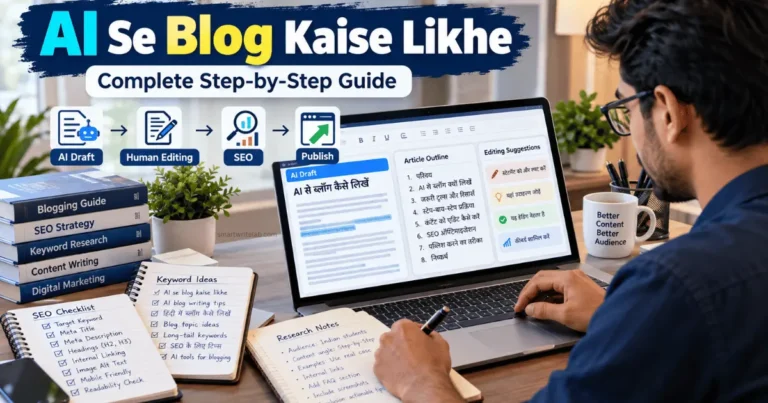
Grammarly AI Checker एक ऐसा टूल है जो किसी भी आर्टिकल, निबंध या ईमेल को स्कैन करके यह बताता है कि उसमें कितना प्रतिशत हिस्सा AI से लिखवाया गया है और कितना प्रतिशत आपने खुद लिखा है। अगर आप AI से ब्लॉग कैसे लिखे इस बारे में जानना चाहते है तो मेने कम्पलीट गाइड रेडी की है jisme मेने स्टेप स्टेप बाई सारा फार्मूला बताया है की आप किस तरह से ai से ब्लॉग लिखवा कर गूगल में रैंक कर सकते है। आपको एक बार इसको भी जरूर चेक करे। AI Se Blog Kaise Likhe: Complete Step-by-Step Guide
अन्य Detectors की तरह यह भी मुख्य रूप से 2 पैमानों (Metrics) पर टेक्स्ट की जांच करता है:
- Perplexity (शब्दों का चुनाव): क्या लेख में AI के रटे-रटाए शब्द (जैसे delve, tapestry, crucial, realm, furthermore) इस्तेमाल किए गए हैं? अगर हाँ, तो यह तुरंत उसे AI मार्क कर देता है।
- Burstiness (वाक्यों की लंबाई और लय): इंसान लिखते समय कभी छोटा वाक्य लिखता है तो कभी लंबा। वहीं AI के लगभग सभी वाक्य एक ही लंबाई और एक ही टोन के होते हैं।
- Grammarly Authorship Feature: 2026 में Grammarly का सबसे खास फीचर यह है कि अगर आप Google Docs या MS Word में इसे ऑन रखकर लिखते हैं, तो यह ट्रैक करता है कि आपने कौन-सा पैराग्राफ खुद टाइप किया है और कौन-सा कहीं और से कॉपी-पेस्ट किया है।
3-Step Live Accuracy Test
किसी भी AI Detector की असली परीक्षा तब होती है जब उसे अलग-अलग स्तर के कंटेंट पर चेक किया जाता है। मैंने खुद Grammarly के फ्री AI Detector Checker (grammarly.com/ai-detector) पर ये 3 लाइव टेस्ट किए:
Test 1: 100% Raw ChatGPT Text (बिना किसी बदलाव के)
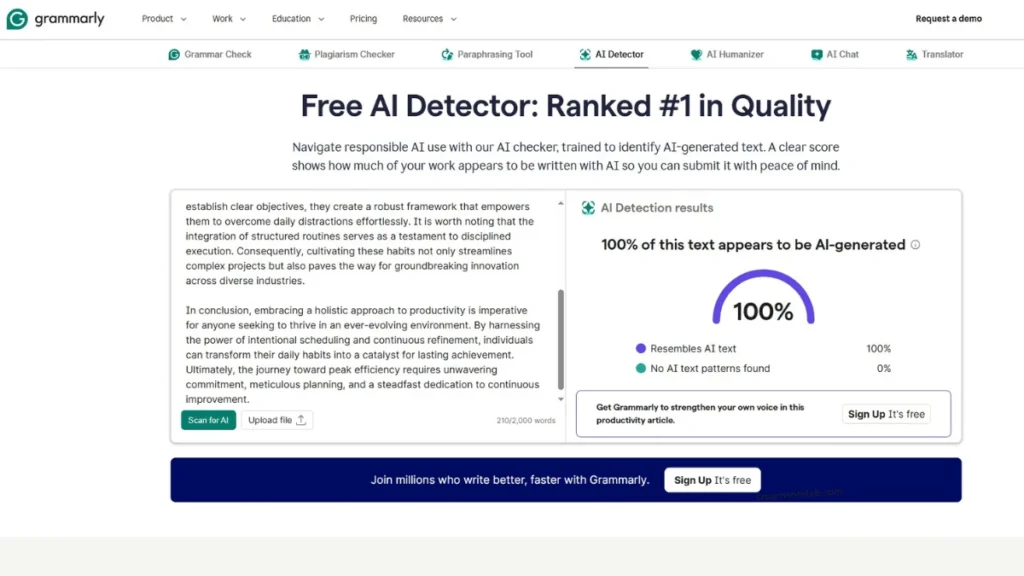
सबसे पहले मैंने ChatGPT से “Importance of Time Management” पर एक पैराग्राफ लिखवाया और बिना एक भी शब्द बदले उसे Grammarly AI Checker में पेस्ट कर दिया। और Grammarly ने जो रिजल्ट दिया मैं आपके सामने भी दिखा रहा हूँ इसमें 100% AI टेक्स्ट आया है
Grammarly का रिज़ल्ट: 100% AI-Generated
मेरा अनुभव: Grammarly ने एक सेकंड में पकड़ लिया कि यह पूरा पैराग्राफ AI द्वारा जनरेट किया गया है।
Test 2: AI Draft + Human Editing (मेरा ब्लॉगिंग मेथड)
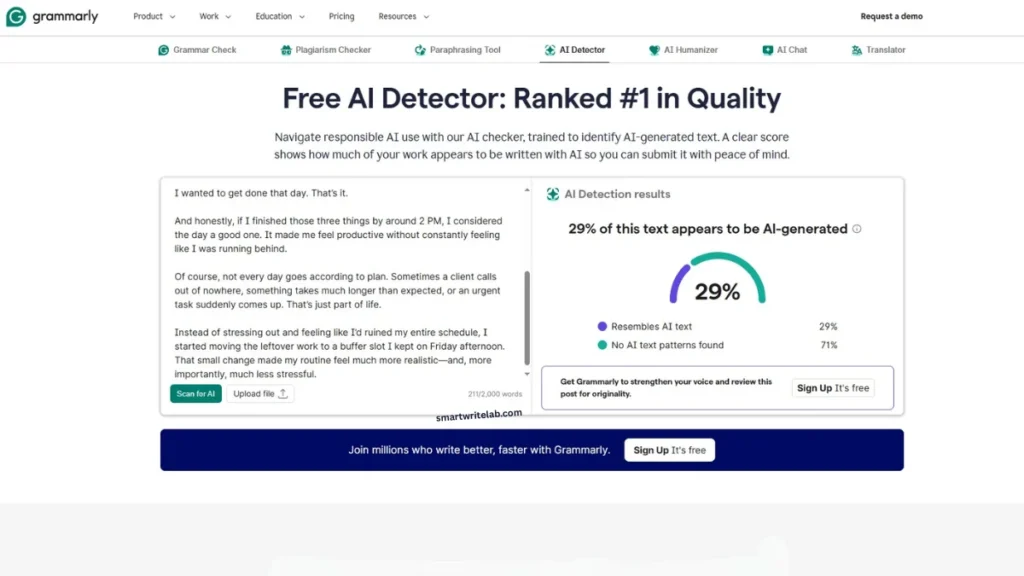
दूसरे टेस्ट में मैंने AI के लिखे पैराग्राफ में से रोबोटिक शब्द हटा दिए, और वाक्यों को थोड़ा छोटा बड़ा कर दिया और उसमें 2 लाइन अपने खुद के उदाहरण की जोड़ दीं। और उसका रिजल्ट आपके सामने है।
Grammarly का रिज़ल्ट: 29% AI / 71% Human (लगभग पूरी तरह पास!)
मेरा अनुभव: जैसे ही मैंने कंटेंट में इंसानी अनुभव (“When I started…”) और सरल भाषा जोड़ी, Grammarly का AI स्कोर 100% से गिरकर सीधा 29% पर आ गया।
Test 3: 100% इंसान द्वारा लिखा गया टेक्स्ट (False Positive Check)
कई टूल्स इंसान के लिखे हुए फॉर्मल आर्टिकल को भी गलती से AI बता देते हैं (जिसे False Positive कहा जाता है)। जब मैंने खुद का लिखा हुआ 300 शब्दों का एक पुराना लेख इसमें डाला:
Grammarly का रिज़ल्ट: 0% looks like AI text
निष्कर्ष: अन्य सख्त डिटेक्टर्स की तुलना में Grammarly बेवजह इंसान के लिखे कंटेंट को AI नहीं बताता है, जो इसकी सबसे अच्छी बात है।
तीनों Live Tests का परिणाम (एक नज़र में)
| Test Type | Input | Grammarly AI Score | Accuracy |
|---|---|---|---|
| Test 1: Raw AI Text | 100% कॉपी-पेस्ट ChatGPT ड्राफ्ट | 100% AI | हाँ (बिल्कुल सही पकड़ा) |
| Test 2: AI + Human Edit | AI ड्राफ्ट + खुद के उदाहरण व एडिटिंग | 29% AI | हाँ (Human Touch को पहचाना) |
| Test 3: Pure Human Text | 100% खुद टाइप किया गया पैराग्राफ | 0% AI | हाँ (कोई False Positive नहीं) |
Grammarly AI Checker vs. Other AI Detectors (2026 Comparison)
Grammarly AI Checker मार्केट के अन्य पॉपुलर Detectors जैसे Originality.ai, GPTZero और Copyleaks से बेहतर है या नहीं? नीचे दी गई टेबल से अंतर समझें:
| Feature | Grammarly AI Checker | Originality.ai | GPTZero | Copyleaks |
|---|---|---|---|---|
| मुख्य फोकस | Grammar + AI + Authorship | Strict SEO & Agency Agencies | Students & Teachers | Enterprise & Academic |
| Free Plan Limit | 10,000 Characters/check | फ्री नहीं (Paid Credits) | 10,000 Words/month | सीमित Daily Scan |
| Strictness | Balanced | Very Strong | Medium to high | Medium |
| False Positive का खतरा | Very Low | Medium | Low | Low |
| Built-in Rewriting | Yes | No | No | No |
Grammarly में AI Score को कम कैसे करें? (कंटेंट को 100% Human-Like बनाने का तरीका)
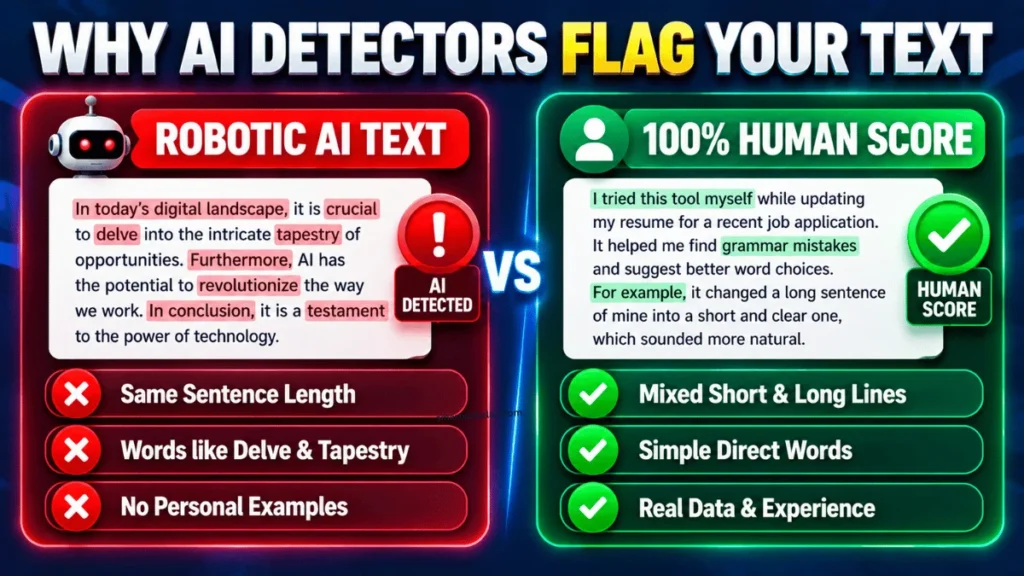
अगर आपके आर्टिकल या असाइनमेंट में बार-बार High AI Score आ रहा है, तो आपको किसी महंगे “AI Bypass Tool” पर पैसे खर्च करने की ज़रूरत नहीं है। बस ये 3 प्रैक्टिकल बदलाव करें:
- Robotic शब्दों को तुरंत हटाएं: अगर आपके लेख में delve, tapestry, testament, realm, crucial, game-changer, moreover जैसे शब्द हैं, तो उन्हें साधारण बोलचाल के शब्दों से बदल दें।
- First-Person अनुभव और असली उदाहरण जोड़ें: AI कभी अपना निजी अनुभव नहीं बता सकता। हर 200 शब्दों के बाद “मेरे अनुभव में…”, “जब हमने इसे टेस्ट किया…” या कोई असली केस स्टडी/डेटा टेबल ज़रूर डालें।
- शुरू से ही सही तरीके से ब्लॉग ड्राफ्ट करें: अगर आप यह सीखना चाहते हैं कि AI की मदद से ऐसा आर्टिकल कैसे लिखा जाए जो Google में रैंक भी करे और किसी डिटेक्टर में पकड़ा भी न जाए, तो हमारी यह विस्तृत गाइड ज़रूर पढ़ें:
AI Se Blog Kaise Likhe: Complete Step-by-Step Guide।
Bonus: AI Text को 1 क्लिक में Humanize करने का Copy-Paste Prompt
अगर आपका कोई पैराग्राफ Grammarly AI Checker में पकड़ा जा रहा है, तो नीचे दिए गए प्रॉम्प्ट को कॉपी करके ChatGPT या Claude में इस्तेमाल करें:
Strict Rules:
- Strip out all typical AI buzzwords (delve, tapestry, testament, realm, pivotal, underscore, landscape, furthermore, in summary).
- Mix short, punchy sentences with medium sentences to increase burstiness.
- Use simple, direct everyday words, active voice, and a conversational peer-to-peer tone.
Text to Humanize: [यहाँ अपना पैराग्राफ पेस्ट करें]
Smart Writers & Professionals के लिए खास तोहफा:
क्या आप रोज़ाना ब्लॉगिंग, ऑफिस ईमेल्स, रिपोर्ट्स, रेज़्यूमे और LinkedIn पोस्ट लिखते समय रोबोटिक AI आउटपुट से परेशान हैं? हमारी 100+ Smart AI Writing & Career Prompts Vault eBook डाउनलोड करें! इसमें Module 6 (SEO Blogging) और Module 9 (Smart Rewriting & Humanizer) सहित 100+ जांचे-परखे टेम्पलेट्स हिंदी गाइड के साथ दिए गए हैं। यहाँ क्लिक करके अभी डाउनलोड करें → Download Now
Grammarly AI Checker के Pros & Cons
Pros:
- 100% मुफ़्त और तेज़: इसके वेब पेज पर आप बिना पैसे दिए 10,000 कैरेक्टर्स (लगभग 1,500 शब्द) तक एक बार में चेक कर सकते हैं।
- All-in-One सुविधा: आपको AI चेक करने के बाद ग्रामर और टोन सुधारने के लिए किसी दूसरी वेबसाइट पर जाने की ज़रूरत नहीं पड़ती।
- Grammarly Authorship का सपोर्ट: स्टूडेंट्स और फ्रीलांसर्स अपने क्लाइंट या प्रोफेसर को यह प्रूफ दिखा सकते हैं कि डॉक्यूमेंट उन्होंने खुद लिखा है।
- कम False Positives: यह बेवजह इंसान की लिखी अच्छी इंग्लिश को AI घोषित नहीं करता।
Cons:
- Line-by-Line हाइलाइट फ्री में सीमित: फ्री वर्जन में यह कुल प्रतिशत (%) तो तुरंत बता देता है, लेकिन गहरी रिपोर्टिंग और Plagiarism मैचिंग के लिए इसके Pro प्लान की ज़रूरत पड़ती है।
- हल्की एडिटिंग से चकमा खा सकता है: अगर कोई यूज़र AI कंटेंट के कुछ शब्द बदल दे (Paraphrase कर दे), तो Originality.ai इसे पकड़ लेता है, लेकिन Grammarly कई बार उसे पास कर देता है।
क्या आपको Grammarly AI Checker का इस्तेमाल करना चाहिए?
अगर आप एक Blogger, Content Writer, Student या Working Professional हैं जो यह सुनिश्चित करना चाहते हैं कि आपका लिखा हुआ कंटेंट पढ़ने में रोबोटिक न लगे और किसी सामान्य AI स्कैनर में फ्लैग न हो – तो आपके लिए Grammarly AI Checker एक बेहतरीन और भरोसेमंद (4.1/5) टूल है।
People Also Ask
क्या Grammarly AI Checker बिल्कुल फ्री है?
हाँ, Grammarly के आधिकारिक AI Detector वेब पेज पर कोई भी यूज़र 10,000 characters (करीब 1500 शब्द) तक का टेक्स्ट बिल्कुल मुफ्त में चेक कर सकता है।
अगर मेरा खुद का लिखा हुआ आर्टिकल भी AI दिखाए तो क्या करें?
ऐसा तब होता है जब आपके वाक्य बहुत लंबे और Passive Voice होते हैं। अपने लंबे वाक्यों को छोटा करें, furthermore/moreover जैसे शब्द हटाएं और active voice का इस्तेमाल करें – आपका AI स्कोर तुरंत 0% पर आ जाएगा।
क्या Google AI से लिखे ब्लॉग पोस्ट को रैंक करता है?
हाँ, Google की पॉलिसी के अनुसार उसे इस बात से फर्क नहीं पड़ता कि कंटेंट इंसान ने लिखा है या AI ने – कंटेंट यूज़र के काम का हो, सटीक हो और उसमें E-E-A-T (असली अनुभव व उदाहरण) शामिल हों। स्पैम और बिना एडिट किए गए कच्चे AI कंटेंट को Google रैंक नहीं करता।



The you produce always fascinates me with their unique insights and captivating narrative. It would be great to see you discuss how these ideas can be applied to new frontiers, such as artificial intelligence or sustainable living. Your gift for shedding light on nuances makes each read a journey. Keep up the amazing work – I’m engaged to see your upcoming posts!
coreycotten.com