Best AI Tools for Students in 2026 (Free & Powerful Study Tools)
In today’s times, AI is being utilized extensively. Students use AI to solve their problems in a very short span of time. These AI tools help students understand complex subjects, organize their notes effectively, and enhance their writing skills; furthermore, they also assist them with their research work.
AI tools are no longer merely instruments for completing tasks; they have become an integral part of students’ daily lives. Whether you are preparing for exams, writing assignments, or juggling multiple projects simultaneously, AI tools save students time and make the learning process significantly easier. While searching for information on a subject or rewriting notes used to consume a great deal of time in the past, students now understand how to utilize AI effectively and intelligently—enabling them to summarize lessons, create study plans, and instantly resolve complex queries.
I’ve taken great care to write this guide on the best AI tools for students to help them study in 2026, including how they work, what problems they can solve, and how students can use them responsibly to improve academic performance.
Why AI Tools Are Becoming Essential for Students
In recent years, the education sector has undergone significant changes. Students now utilize far more digital resources than before—such as attending online lectures, accessing research articles, creating presentations, and engaging in collaborative projects.
AI tools help simplify this process by providing:
Faster Learning
By using AI tools, students can quickly obtain step-by-step answers to even the most difficult questions.
Better Organization
Many AI tools automatically organize students’ notes, assignments, and study schedules.
Improved Writing
Writing assistants help students produce clearer essays, reports, and assignments.
Time Efficiency
Students can use AI to automate repetitive tasks.
The result of AI tools is a learning environment where students focus more on understanding ideas rather than organizing information.

Best AI Tools for Students in 2026
Here are some of the most powerful AI Tools for students to learn more effectively.
1. ChatGPT – AI Study Companion
ChatGPT is one of the most popular among the AI tools most widely used by students. This tool functions like an intelligent assistant that accurately answers questions, helps explain concepts effectively, and provides assistance with all study-related tasks.
Students typically use this when they require immediate clarification on a matter or need assistance in brainstorming ideas.
Key Features
- It answers academic questions related to various subjects.
- This tool explains difficult topics in simple language.
- This helps in creating the outline and summary of the essay.
- This tool assists with questions related to coding and programming.
- It prepares and provides practice questions for revision.
Practical Student Use Cases
Students commonly use ChatGPT for:
- To understand complex mathematical concepts
- To prepare an outline for an essay before writing it
- To study difficult subjects in science
- To practice interview questions
- To properly learn the fundamentals of programming
ChatGPT works best as a digital tutor for students, helping them better understand any subject. It’s a great tool. And I personally use it as an assistant when researching articles or topics.
Best AI Study Planner for Students: How to Organize Study Smarter Without Stress
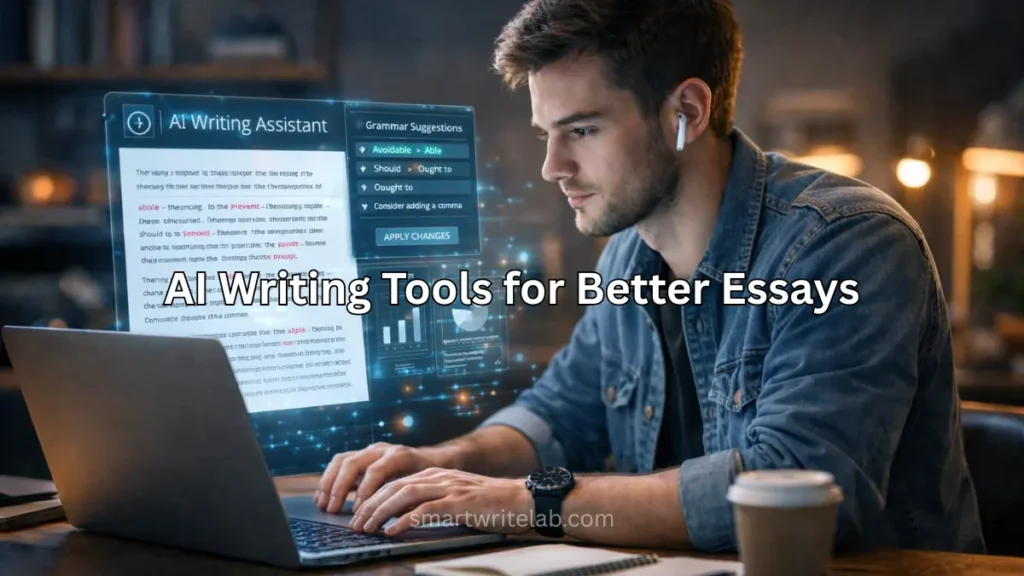
2. Grammarly – Smart Writing Assistant
Proper writing is an extremely important skill in school and college. Grammarly significantly helps students correct grammatical errors and improve their writing style while writing, ensuring that whatever they write can be read and understood correctly.
Grammarly works within browsers and writing platforms, and it assists students or creators by providing suggestions in real time.
Key Features
- Grammar and spelling correction
- Improvement in Clarity
- Better Tips for Formal Writing
- To improve vocabulary
- Plagiarism detection (premium)
Practical Student Use Cases
Students use Grammarly when writing:
- Essays
- Research papers
- Scholarship applications
- Professional emails
Instead of wasting time rewriting the entire assignment, Grammarly significantly helps students improve their writing or clarify it effectively, making the assignment appear much cleaner and more professional.
3. Notion AI – AI Study Planner
Notion AI is an important part of the Best AI Tools For Students. Many students find it quite difficult to stay organized. For students, managing numerous assignments, deadlines, and lecture notes quickly becomes stressful.
Notion AI is a tool that combines productivity tools with artificial intelligence to help students stay organized.
Key Features
- Automatically Summarizing Notes
- AI-generated study plans
- Task Management and Scheduling
- Project tracking dashboards
Practical Student Use Cases
Students use Notion AI for:
- Summarizing Notes from a Long Lecture
- To create a study schedule for the exam
- To keep track of homework deadlines
- To organize research resources
Based on my experience using that tool, it is particularly useful for students who prioritize creating organized plans and taking digital notes.
Grammarly AI Checker Review (Real Testing & Honest Results)
4. Perplexity AI – Research Assistant
Perplexity AI is also an important tool in the Best AI Tools For Students. This tool functions as a smart research tool. It assists students by providing direct answers complete with references rather than displaying extensive lists like search engines do.
Key Features
- AI-generated answers
- Providing Source-Based Information
- Brief Summary of the Research
- Follow-up questions for in-depth investigation
Practical Student Use Cases
Students often use Perplexity AI for:
- To Begin a Research Paper
- To quickly find reliable sources
- Understanding Unfamiliar Subjects
- To verify educational information
From my personal use, this tool helps students find reliable information more quickly than traditional searches.

5. Canva AI – Design and Presentation Tool
Visual presentation is considered a crucial part of modern education. Canva AI helps students design slides, posters, and graphics, even if they lack design skills.
Key Features
- AI Presentation Generator
- Ready-made Templates
- Image Creation Tool
- Drag-and-drop editing
Practical Student Use Cases
Students use Canva AI for:
- Class Presentation
- Project posters
- For Infographics
- Social media assignments
Canva AI makes the design process significantly easier, giving students more time to focus on the content of their presentations.
6. Otter AI – Lecture Note Recorder
Missing key points during lectures can make studying difficult for students. Otter AI records spoken lectures and converts them into written notes, thereby solving this problem for students.
Key Features
- Real-time Speech Transcription
- Automatic summaries of lectures
- Searchable Text Notes
- Recording playback
Practical Student Use Cases
Students use Otter AI for:
- To record the lecture for later review
- To automatically generate accurate notes
- To record group discussions
- To review key points before exams
I use this tool myself for writing articles, and I can say that this tool is especially useful for long lectures or fast-paced classes.
7. Google Gemini – AI for Google Workspace
Google Gemini AI is a comprehensive tool from Google. This tool integrates directly into tools that many students already use, such as Google Docs and Google Slides.
Key Features
- AI writing assistance in documents
- Data analysis in spreadsheets
- presentation creation
- Integrated research support
Practical Student Use Cases
Students can use Gemini for:
- Writing an assignment in Google Docs
- Creating a presentation quickly
- Analyzing a simple dataset
- For preparing summaries of long documents
Because it integrates with Google tools, it fits naturally into many academic workflows.
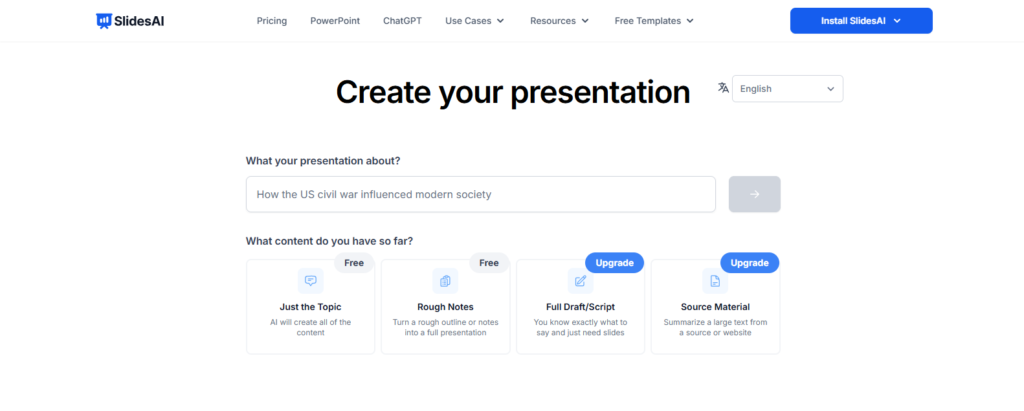
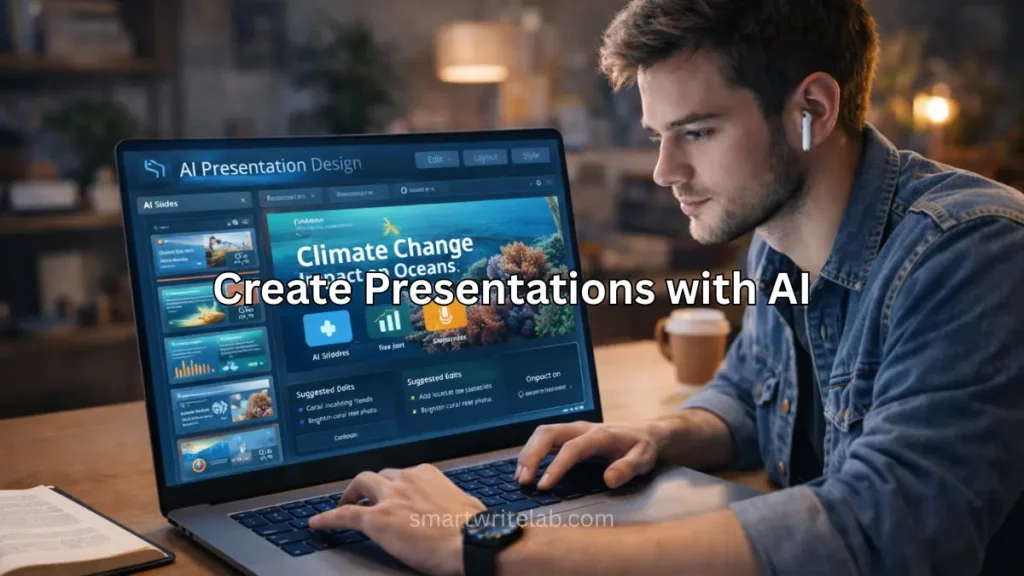
8. SlidesAI – Best AI Tool for Presentation Creation
SlidesAI is a presentation tool that lets students create professional slides in minutes. It automatically converts text into organized presentations, saving significant time for assignments, projects, and class presentations.
Key Features:
- Enter a topic, get a full deck in seconds
- Google Slides integration
- Fast presentation creation
- Beginner-friendly interface
- Time-saving templates
- AI image generation
- Translate the presentation to 100+ languages
Best For:
Students, teachers, and content creators who want to create presentations quickly instead of manually designing slides.
Comparison Table: Best AI Tools for Students
This comparison table will give you a clear understanding of which tool is useful and best in which field, and which tool is free. This comparison table highlights the best AI tools for students.
| Tool | Best For | Main Advantage | Free Version |
|---|---|---|---|
| ChatGPT | Study help | Explains topics and answers questions | Yes |
| Grammarly | Writing improvement | Grammar and clarity suggestions | Yes |
| Notion AI | Study organization | Smart note management | Limited |
| Perplexity AI | Research | Fast information discovery | Yes |
| Canva AI | Presentations | Easy design creation | Yes |
| Otter AI | Lecture notes | Automatic transcription | Limited |
| Google Gemini | Productivity | AI inside Google tools | Yes |
| SlidesAI | Presentation | Google Slides integration | Yes |
How Students Can Use AI Tools Effectively
AI tools are powerful, but the best results come when students and creators use them thoughtfully.
Here are some effective strategies:-
Use AI for Understanding
AI should be used to explain topics step-by-step, rather than to copy answers.
Combine AI With Personal Study
You should use AI to assist you in the learning process, rather than letting it take its place.
Verify Important Information
Always verify information provided by AI against reliable sources.
Practice Critical Thinking
Use AI suggestions as a starting point, then refine the ideas yourself.
Students who combine AI tools with traditional learning methods often develop better study habits and a deeper understanding.
How to Build a Simple Productivity System for Beginners (USA-Friendly Guide)
Advantages of Best AI Tools for Students
Best AI tools for Students offer several practical benefits.
1. Faster Research
Students can quickly summarize large amounts of information.
2. Improved Writing Skills
Writing assistants help students learn correct grammar and sentence structure.
3. Better Time Management
Automation reduces the time spent on repetitive tasks.
4. Personalized Learning
AI can customize explanations based on the student’s questions.
5. Increased Productivity
Students can focus more on learning and less on administrative tasks.
Potential Limitations of Best AI Tools for Students
AI tools are useful, but students should still be aware of certain limitations.
Over-Reliance
Relying too heavily on AI can diminish independent thinking.
Accuracy Issues
AI tools sometimes provide incorrect information.
Academic Policies
Some schools have specific rules regarding the use of AI.
For this reason, AI should always be used responsibly and ethically.
Future of AI Tools in Education
The role of artificial intelligence in the field of education will continue to grow steadily over the next decade.
Future developments may include:
- AI tutors that personalize the learning process for every student.
- Intelligent study platforms that track progress
- Automated Feedback on Assignments
- Immersive Learning Environments Using AI and Virtual Reality
Students who learn to use AI tools today will be better prepared for a technology-based academic environment.
Frequently Asked Questions
What is the best AI tool for students?
Many students consider ChatGPT one of the most useful tools because it helps with studying, writing, and problem-solving.
Are AI tools free for students?
Most AI tools offer free versions, although some advanced features require paid plans.
Can AI help with studying?
Yes. AI can explain complex topics, summarize notes, and generate practice questions.
Is using AI for homework allowed?
Rules vary by institution. AI should be used as a learning aid rather than a shortcut.
Which AI tool is best for writing assignments?
Grammarly and ChatGPT are widely used for improving grammar, structure, and clarity in academic writing.
Conclusion
Artificial Intelligence is becoming an important part of modern education. Students now have access to tools that can simplify research, improve writing, organize study materials, and explain complex topics instantly.
The best AI tools for students —such as ChatGPT, Grammarly, Notion AI, Canva AI, and others—can help make studying more efficient and productive. When used responsibly, these tools act as powerful learning assistants that support understanding and creativity.
Students who learn to use AI effectively will gain valuable skills that will continue to be useful in both education and future careers.
If you found the information I provided helpful, please be sure to share your feedback. Thank you.

Ravi Shankar Naval is the founder of Smart Write Lab, where he publishes practical content about AI tools, blogging, SEO, and digital growth. His goal is to help beginners and creators learn modern online strategies through simple, helpful, and easy-to-understand tutorials.