How to Optimize AI Content for Google (Complete SEO Guide)
AI has completely transformed the way online content is created. Bloggers now use AI tools to brainstorm ideas, create outlines, draft content, and accelerate the entire writing process. This saves time and helps in publishing content faster. However, there is a problem that many websites face.
Many people generate articles using AI and publish them immediately without any editing. This results in weak content that fails to rank on Google. If you want to drive long-term traffic to your blog, you need to understand how to optimize AI content for Google.
Google has already stated that AI-generated content can be used. However, quality is the most important factor. If the content is useful, original, and helpful to readers, it can rank. The problem isn’t actually with AI itself; the issue lies with low-quality content that offers no real value.
This guide explains how to optimize AI content for Google step by step, safely and practically. You’ll learn how to improve AI-written articles, make them more human, and optimize them for SEO without creating spam content.
We’ll cover:
- Search intent
- Content structure
- Readability
- Human editing
- Internal linking
- Image optimization
- Helpful Content Guidelines
- Common SEO mistakes
If AI-generated content is used effectively to provide value to readers, it can rank well on Google and remain safe according to Google’s policies.
How to Use AI Tools for Blogging (A Practical, Google-Safe Guide)
Why Most AI Content Doesn’t Rank
Before learning how to optimize AI content for Google, it is crucial to understand why so many AI articles ultimately fail.
Most low-quality AI content has the same issues:
- Repetitive wording
- Generic explanations
- Weak structure
- No real examples
- Poor readability
- Keyword stuffing
- No human editing
- Little originality
AI can generate text quickly, but if that content undergoes no subsequent editing, it often becomes lifeless and predictable. Google’s systems prioritize content that genuinely helps users. If an article appears automated, superficial, or copied from hundreds of similar pages, it does not perform well in search results.
That’s why learning how to optimize AI content for Google is important. The optimization process is what turns an average AI draft into something useful and rank-worthy.
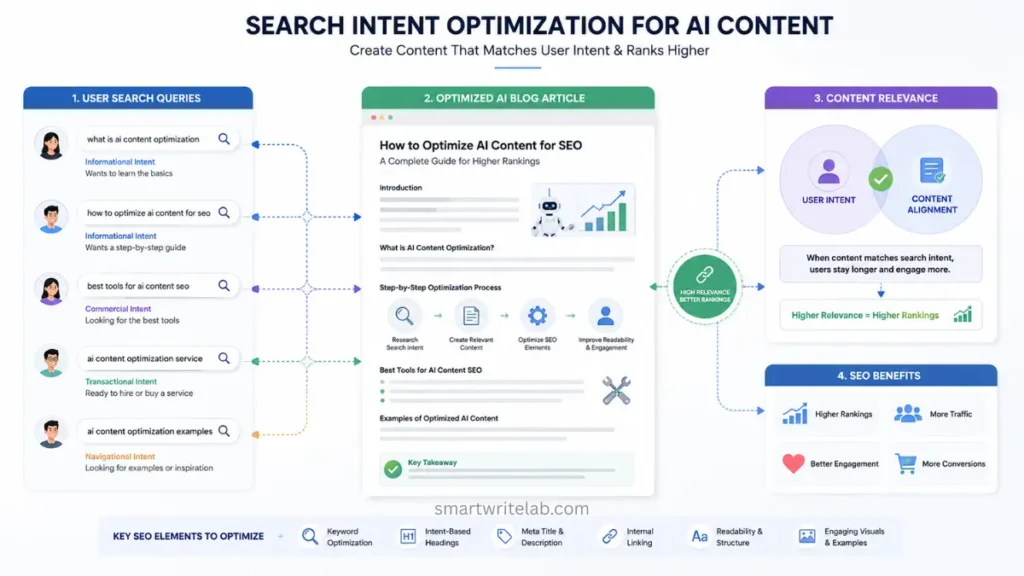
Step 1: Understand Search Intent First
One of the biggest mistakes an SEO writer makes is writing content without understanding the user, which prevents the content from ranking.
Search intent means:
What is the person trying to find or solve?
For example, someone searching for “how to optimize AI content for Google” probably wants answers to questions like:
- Does Google allow AI content?
- How can AI articles rank?
- What makes AI content look spammy?
- How do you improve AI-generated articles?
- What SEO practices matter most?
Your content should provide direct answers to users’ questions. If the article strays from the topic or remains too generic, readers quickly abandon it. This sends poor engagement signals to Google, and consequently, it stops suggesting that content to users.
Before writing anything, you should take the time to understand it:
- What do users want?
- What kind of problems do they have?
- What kind of content already ranks?
- What information is missing from the competing articles?
Good SEO starts with accurately matching search intent.
Step 2: Use AI as a Tool, Not the Final Writer
AI works best when it assists with the writing process rather than completely transforming it.
You can use an AI tool for:
- Thoughts on the subject
- Brainstorming new keyword ideas
- framework
- Draft sections
- Summary
- To assist with research
However, publishing raw text generated directly by AI is usually a bad idea.
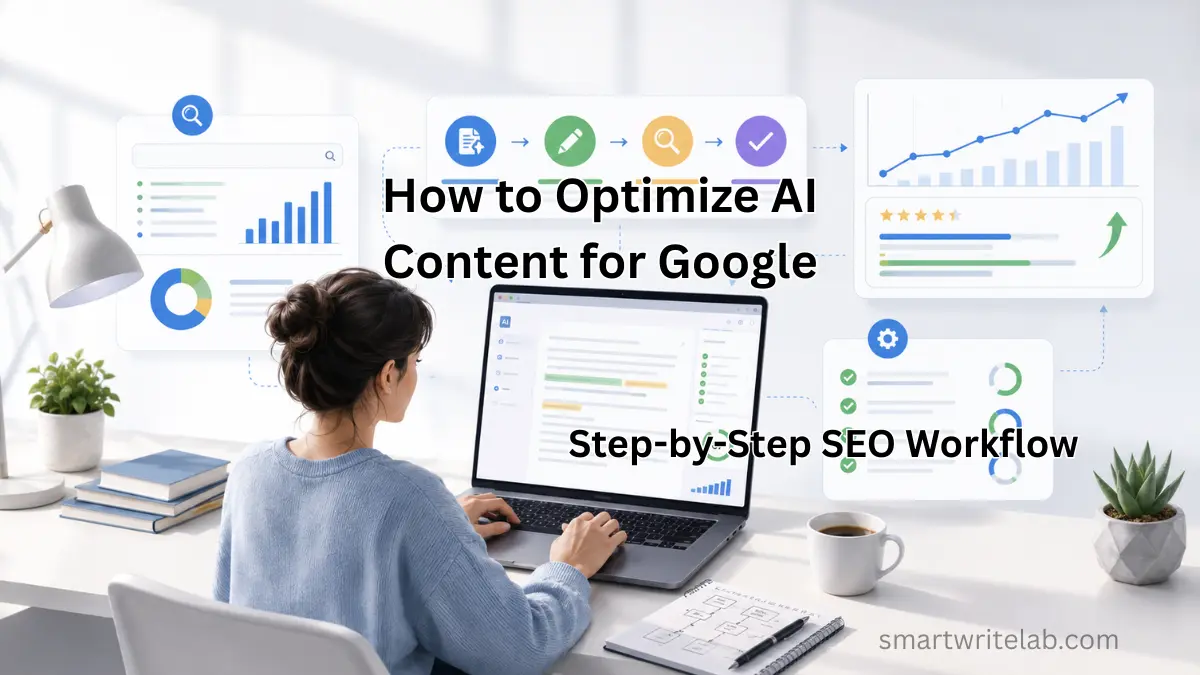
The best workflow for how to optimize AI content for Google looks something like this:
- For conducting keyword research
- Creating frameworks with the help of AI
- Manually expand the section.
- Add real examples
- Improve readability
- Optimize for SEO naturally.
- Edit everything carefully
This approach not only leverages the capabilities of AI but also ensures the article feels useful and human. Readers can usually tell when content has been published without editing; it tends to sound oddly robotic, repetitive, and overly polished. Human editing fixes it.
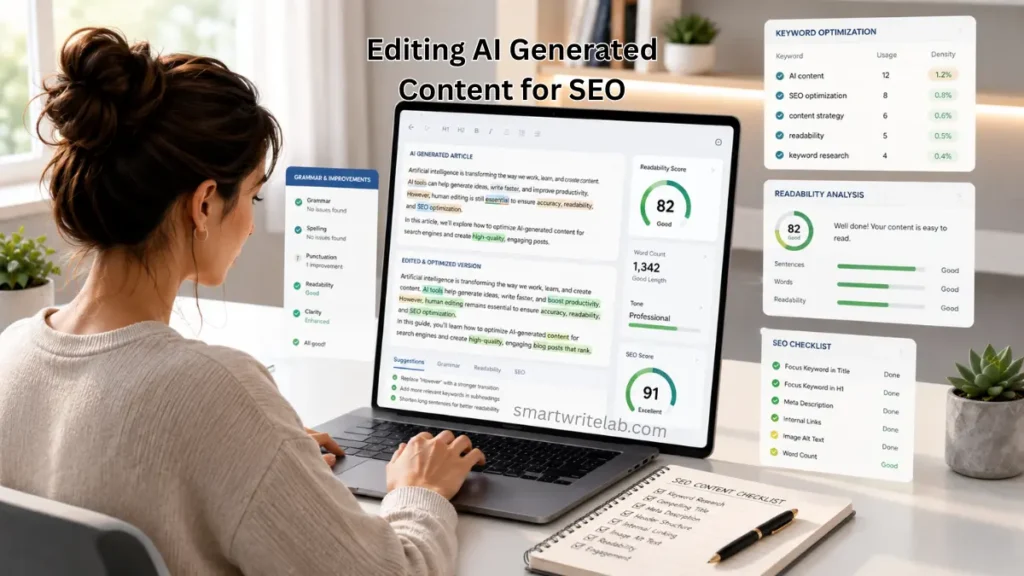
Step 3: Create a Strong Content Structure
Content structure is far more important than many bloggers realize. Google favors content that is easy to scan and understand. When information is neatly organized, readers also stay engaged for longer. When learning how to optimize AI content for Google, content structure should always be part of the process.
A good article usually includes these elements:
- A clear introduction
- Description of the problem
- Step-by-step solutions
- Practical examples
- FAQs
- Common mistakes
- Final summary
Using headings correctly makes reading easier.
For example:
- H1 for the main title
- H2 for major sections
- H3 for smaller subsections
A good structure helps users find information quickly, resulting in an excellent overall user experience.
4 Best AI SEO Tools for New Websites (Free & Beginner-Friendly)
Step 4: Add Human Insight
Most AI-generated content fails because, while AI can summarize information, it often lacks experience, clarity, and practical understanding. Consequently, many AI-generated articles- despite being technically accurate- feel incomplete or lifeless. To improve AI content, it is essential to incorporate a human perspective and understanding.
That can include:
- Real examples
- Personal observations
- Simple explanations
- Practical workflows
- Industry Information
- Clear argument
For example, instead of saying:
“Internal links improve SEO.”
Explain why they matter:
“Internal links help search engines understand how your pages are connected to each other. They direct readers to related content and improve crawlability.”
This extra context makes the content even more useful and engaging.
Google’s systems are getting better at identifying content that demonstrates real understanding, rather than generic content.
Step 5: Use Keywords Naturally
Keywords are crucial, but over-optimizing content can be problematic. AI-written articles that repeat the same thing over and over again can make it difficult to rank on Google. Such content can also be difficult to read and understand and can appear spammy. When learning how to optimize AI content for Google, focus on using natural keywords.
Instead of repeating the same thing over and over again, you should combine related words, such as:
- SEO of AI-generated content
- AI blogging strategy
- optimizing AI articles
- Understanding Google-protected AI content
- AI SEO workflow
Keywords should be used only where they are appropriate, such as:
- Title
- Introduction
- Headings
- Meta description
- Image alt text
- Conclusion
But keep your writing natural, because if your content seems strange to a reader, they will immediately understand.
Keyword Research for a New Blog (Step-by-Step Guide)
Step 6: Improve Readability
Good readability improves both SEO and user experience. People prefer to read content that’s easy to understand, rather than long blocks of text filled with complex words.
To improve readability, you should keep these things in mind:
- Keep paragraphs short
- Use simple language
- Break up long sections
- Add bullet points
- Use headings often
- Remove unnecessary filler
Readable content keeps users engaged longer, which also improves SEO performance over time. To become an expert, you should often write simple and understandable content rather than complex articles.
Step 7: Optimize Images Properly
Images are a huge boost to engagement, but they’re equally important for SEO. Many bloggers upload large images without optimizing them, which slows down page speed and negatively impacts performance. When optimizing AI content for Google, image optimization should always be included.
Best practices include:
- Use compressed images
- If possible, you should choose the WebP format as it reduces the size of the image.
- You should always add descriptive alt text
- You should use keyword-friendly image file names
- Avoid large files
Example:
Filename:
optimize-ai-content-google.webpAlt text:
example workflow for optimizing AI content for Google rankings
Such small things help the search engines understand your content better.
Step 8: Add Internal Links
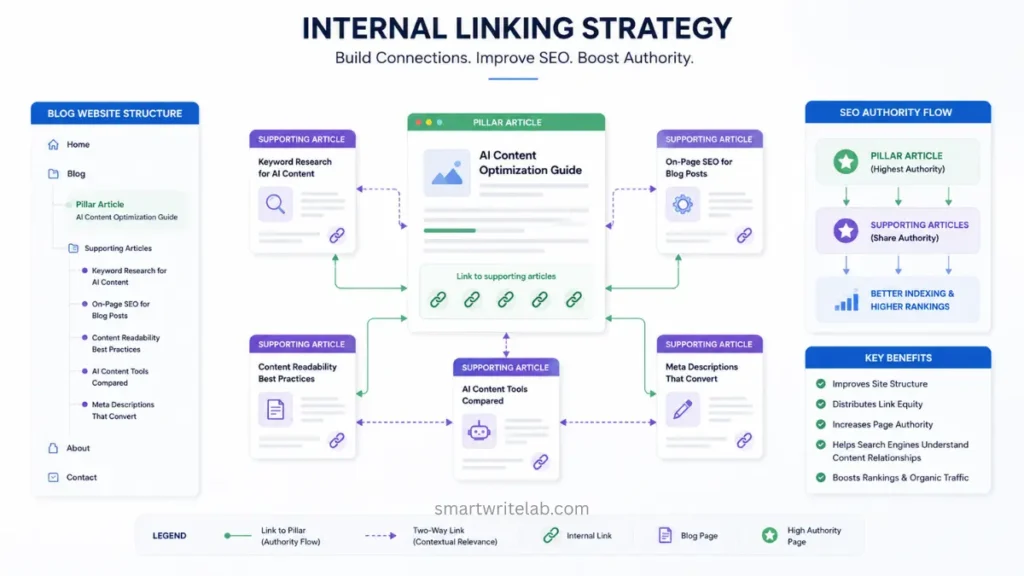
Internal linking is one of the easiest SEO improvements that many websites and bloggers overlook.
Internal links help:
- Connect related articles
- Improve crawlability
- Spread authority across pages
- Increase time on site
- Build topical relevance
For example, an article about AI content optimization could link to:
- AI blogging guides
- SEO writing tutorials
- Keyword research articles
- Content strategy pages
Strong internal linking helps Google understand your website or blog better. This helps readers spend more time on your content, and Google also suggests your blog.
Step 9: Focus on Helpful Content
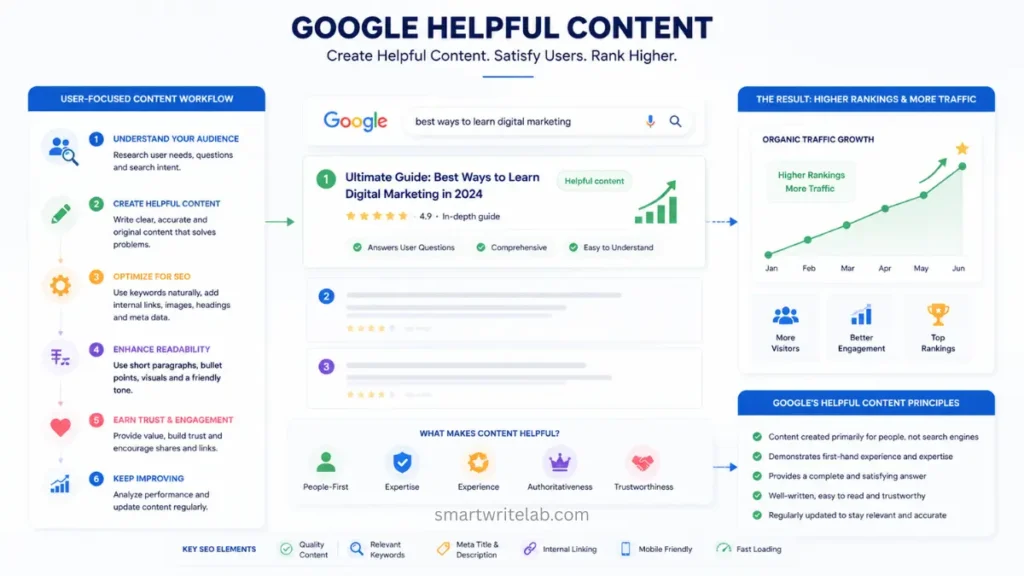
Google’s Helpful Content System rewards content made for people instead of search engines. This means that your article is actually solving someone’s problem and helping the reader.
To make AI content more Google-friendly, you need to:
- Answering questions clearly
- Add basic information
- Stay focused on the topic
- Provide practical information
- Write for real readers first
Understanding how to optimize AI content for Google is really about creating better content overall. If users find your article useful, your chances of ranking improve naturally.
Step 10: Edit Everything Carefully
Editing is the most important and crucial part of this entire process, as it is only through editing that AI content can be transformed into human-written content.
While editing, check:
- Repetitive phrases
- Robotic wording
- Weak transitions
- Generic explanations
- Grammar mistakes
- Inaccurate information
- Overused keywords
If possible, you should read the article aloud. This makes it easier to identify awkward sentences. The main purpose is to ensure that the written content appears natural and helpful, rather than overly polished or machine-produced.
Only good editing done by you converts the AI-generated low-quality content into high-quality content.
Best AI Tools to Improve Google Rankings Without Backlinks
Step 11: Add FAQ Sections
FAQ sections help you target long-tail searches and improve SEO. They also make articles more complete. You should definitely use FAQs in every article you write. I personally use them in every article I write. This makes it easier to rank your article.
Common Mistakes to Avoid
Publishing Raw AI Content
This is one of the biggest problems with AI blogging. Unedited AI content often feels repetitive, bland, and generic.
Keyword Stuffing
If you try to force keywords everywhere, it can appear spammy and difficult for readers to read, thus giving you a bad impression.
Ignoring Search Intent
No matter how well-written the content is, if it doesn’t answer the reader’s questions, it’s a failure.
Weak Internal Linking
This means that pages that are not properly linked lose topical relevance and authority.
Thin Content
Sometimes, even very short articles rank well because the information they contain is useful to the reader.
A Simple Google-Safe AI Content Workflow
If you want a practical system for creating optimized AI content, this workflow will work well for you:
Step 1
First, research the keyword you want to write an article on and understand the search intent.
Step 2
Create content outlines using AI
Step 3
After this, manually write or edit each section so that the content does not appear AI-generated.
Step 4
Add real examples, explanations, and insights to articles
Step 5
Optimize titles, headings, and keywords naturally
Step 6
Add relevant images to the article and do internal linking.
Step 7
Finally, before publishing the article, edit it thoroughly and check it again.
If you use this process correctly and as directed, your content will remain relevant, and you will also benefit from AI speed and efficiency. In fact, I personally use this process to write and edit all my blog posts. This saves you time and creates high-value content.
Benefits of Optimized AI Content
When AI-assisted content is created properly, it can give you several benefits:
- Faster content production
- Improved publishing stability
- Better topical coverage
- High traffic capacity
- Easy scaling
- Robust content workflow
AI improves your speed, but human editing of your content is crucial. Using both correctly is what makes you an expert blogger.
Frequently Asked Questions
Is AI-generated content allowed by Google?
Yes. Google allows AI-assisted content as long as it provides value and helps users.
Can AI content rank on Google?
Yes. Many websites successfully rank AI-assisted articles after proper editing and optimization.
Does Google penalize AI content?
Google targets low-quality and spammy content, not AI specifically.
What is the biggest mistake with AI blogging?
Publishing unedited AI content without adding human insight or value.
Final Thoughts
AI tools are becoming a part of bloggers’ content creation process, but quality matters more than optimization. Learning to optimize AI content for Google is about creating content that readers actually want to read.
Content written with the intelligence of both AI and you performs well, which:
- Useful information
- Clear structure
- Human editing
- SEO optimization
- Real value
AI can help you create content faster, but optimization is what helps your content rank. If your content solves problems, answers questions clearly, and provides a positive reader experience, Google is much more likely to reward it.
If you found the information we provided helpful or useful, please let us know in the comments section. If you have any questions or suggestions related to this article, please contact us via our contact page. Thank you.

Ravi Shankar Naval is the founder of Smart Write Lab, where he publishes practical content about AI tools, blogging, SEO, and digital growth. His goal is to help beginners and creators learn modern online strategies through simple, helpful, and easy-to-understand tutorials.