
7 Best Free Keyword Research Tools in 2026 (Tested & Compared)
Paid SEO tools have gotten expensive. Ahrefs, Semrush, and the rest now sit well past $100 a month, and that’s before you’ve published a single post.
Skip the pricey SEO subscriptions. Here are 7 free keyword research tools I actually use in 2026, tested, compared, and honest about their limits.
If you’re just starting a blog, spending that kind of money before you know if your niche even works is a bad bet. You don’t need it yet.
What you actually need is a small stack of free tools that pull real Google data. I’ve spent the last few months testing every “free” keyword tool that’s still worth using in 2026, including the ones that quietly gutted their free tiers this year. Here’s what’s left standing, what each one is good for, and exactly where the free limits kick in.
Read More: How to Optimize AI Content for Google (Complete SEO Guide)
Top 7 Free Keyword Research Tools (2026 Real Review)
1. Google Keyword Planner (Best for Raw Data & Forecasting)
This is still the only tool on this list pulling data straight from Google itself, not a scraped or estimated version of it. Everything else on this list is, in some way, trying to approximate what Keyword Planner already knows.
Official Link: Google Keyword Planner
Best feature: Direct access to Google’s own keyword database, plus a forecasting tool that estimates clicks and impressions if you ever run ads.
Free tier limits: It’s completely free; you just need a Google Ads account, and you don’t have to spend a cent. The catch: if your account has no ad spend history, you’ll see volume ranges like “1K–10K” instead of an exact number. Run even a small campaign, and the numbers sharpen up.
Who it’s for: Anyone who wants a gut-check on whether a keyword has real demand before building content around it.
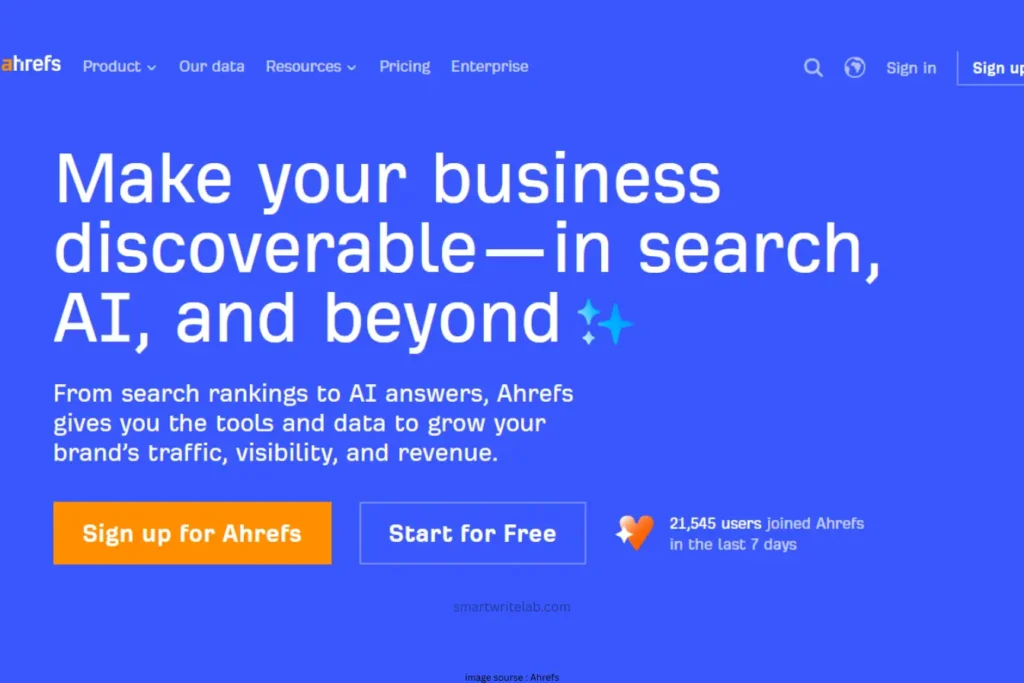
2. Ahrefs Free Keyword Generator (Best for Instant Keyword Ideas)
You don’t need an Ahrefs subscription to use this one. It’s sitting right on their site, open to anyone. Official Link: Ahrefs Free Keyword Generator
Best feature: Type in a seed keyword and get up to 100 related keyword ideas, complete with a volume range, a Keyword Difficulty (KD) score, and estimated clicks no login required.
Free tier limits: No sign-up needed, but you won’t get advanced filters, SERP overview data, or historical trends. It’s built for quick idea generation, not deep planning.
Who it’s for: Fast brainstorming sessions when you want a rough sense of competition (KD) alongside your keyword ideas.
3. Answer Socrates (Best for PAA & Question Keywords)
This one’s become my go-to replacement for AnswerThePublic since the daily limits over there got restrictive. Answer Socrates pulls from Google Autocomplete, “People Also Ask,” and Google Trends, and doesn’t box you in with a strict daily search cap the way its competitors do.
Official Link: Answer Socrates
Best feature: It digs two layers deep into PAA data, so you get the follow-up questions Google shows after you click the first round-not just the surface-level ones.
Free tier limits: Free account required for full access, and keyword clustering uses a small credit allowance, but the core question-mining and Trends data aren’t gated behind a harsh per-day cap like most tools on this list.
Who it’s for: Bloggers building FAQ sections or targeting “People Also Ask” boxes and AI Overview citations.
Read More: 6 Best Free AI Website Builders: Top Picks Reviewed
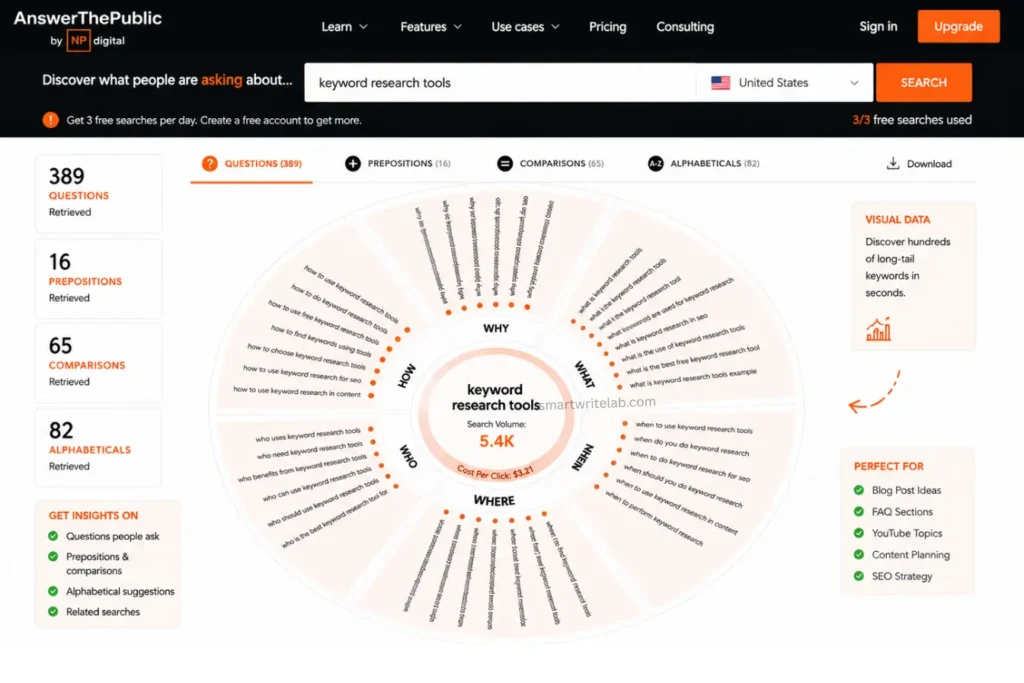
4. AnswerThePublic (Best for Long-Tail Visual Maps)
Still a solid tool for visualizing how people phrase their questions, but it’s not the generous free tool it used to be. Since the NP Digital acquisition, the free tier has been trimmed hard.
Official Link: AnswerThePublic
Best feature: The visual “wheel” that groups long-tail keywords by questions, prepositions, and comparisons (like “vs” and “or”) is genuinely useful for content outlines.
Free tier limits: 3 searches per day, and that’s it. You can view the visual wheel and export it as an image, but CSV exports and search alerts are locked behind a paid plan.
Who it’s for: Bloggers who only need to research one topic per day and don’t mind the wait for their daily searches to reset.
5. Ubersuggest (Best for Quick Competitor Checks)
Neil Patel’s tool is still around in a free form, though the free tier has shrunk to something closer to a taster than a full workflow.
Official Link: Ubersuggest
Best feature: A clean, beginner-friendly dashboard that bundles keyword ideas, a competitor domain overview, and basic site audit data in one place.
Free tier limits: 3 searches or reports per day, one project, and rank tracking capped at around 25 keywords. The Chrome extension gives you a separate allowance of about 40 lookups a day.
Who it’s for: Someone who wants a quick peek at a competitor’s traffic or top keywords without opening five different tools.
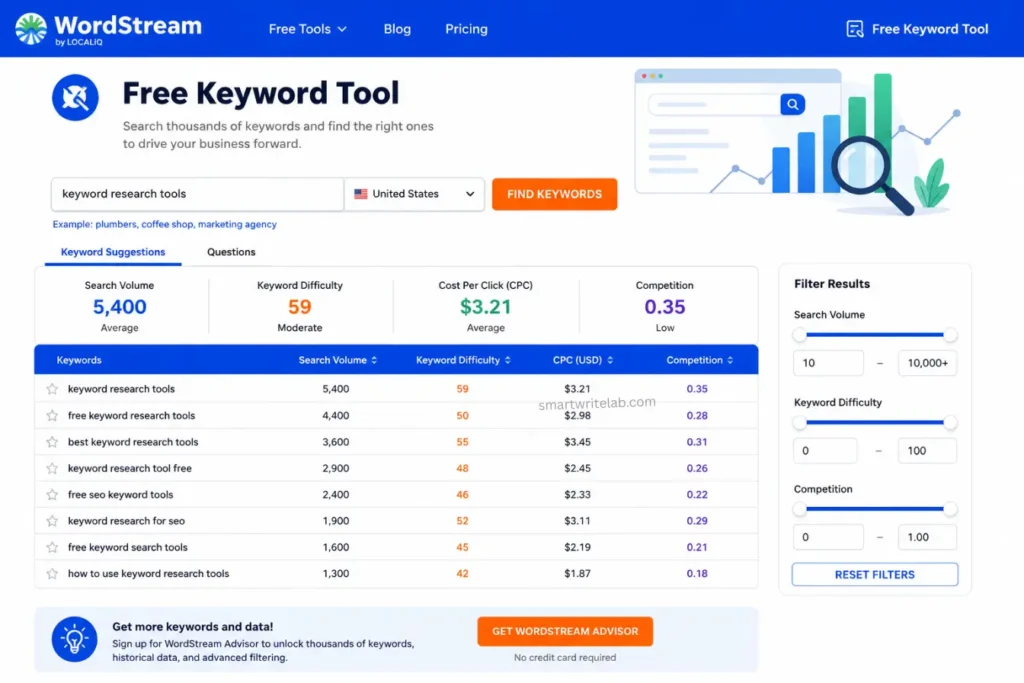
6. WordStream Free Keyword Tool (Best for Search Volume Specifics)
This one’s built for advertisers, but it happens to solve a real headache for bloggers: Google Keyword Planner’s vague volume ranges.
Official Link: WordStream Free Keyword Tool
Best feature: It shows a specific search volume figure for each keyword instead of a broad “1K–10K” style range, plus a competition level and estimated CPC.
Free tier limits: No hard daily search cap, but you’ll need to sign up with an email (or your Google account) to unlock the full list once you go past the first 25 results.
Who it’s for: Cross-checking a keyword’s real volume once Keyword Planner has only given you a range
7. Keyword Tool.io (Best for Cross-Platform — YouTube/Google)
If you write for YouTube, Amazon listings, or Google search, this is the one tool that pulls autocomplete suggestions from all of them in a single search.
Official Link: Keyword Tool.io
Best feature: Generates up to 750 long-tail keyword ideas per search by scraping autocomplete data from Google, YouTube, Bing, Amazon, and more.
Free tier limits: Be honest with yourself about this one; the free version gives you keyword ideas only. No search volume, no CPC, no competition score. You’ll need to pair it with another tool on this list (like WordStream) to check demand.
Who it’s for: Finding long-tail keyword phrasing across platforms before checking the actual numbers elsewhere.
Read More: Best AI Software in 2026: The Ultimate Tech Guide
The Ultimate Free Keyword Research Tools Workflow
Here’s how these tools stack up side by side:
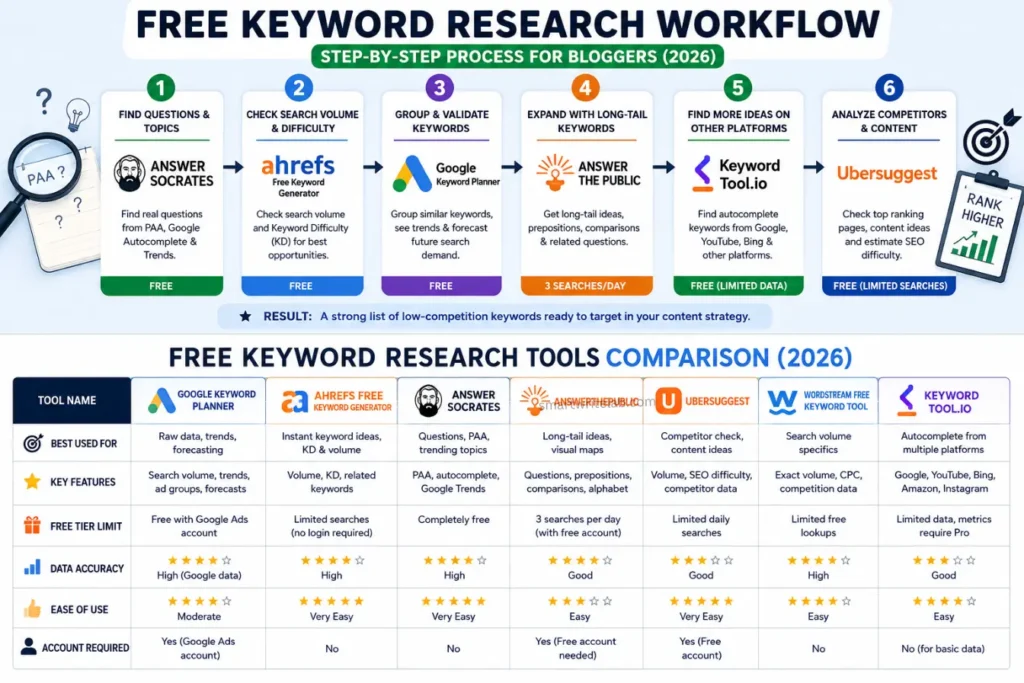
| Tool Name | Best Used For | Free Tier Limit |
|---|---|---|
| Google Keyword Planner | Raw data & forecasting | Free account, but ranges only without ad spend |
| Ahrefs Free Keyword Generator | Instant keyword ideas + KD | Up to 100 ideas per search, no login |
| Answer Socrates | PAA & question keywords | Free account, no strict daily search cap |
| AnswerThePublic | Long-tail visual maps | 3 searches per day |
| Ubersuggest | Quick competitor checks | 3 searches/reports per day |
| WordStream Free Tool | Exact search volume | No daily cap, email required past 25 results |
| Keyword Tool.io | Cross-platform autocomplete | 750 ideas per search, no volume data free |
None of these tools does the whole job alone. Here’s the workflow I actually use:
- Step 1: Open Answer Socrates and mine your topic for real questions people are asking.
- Step 2: Drop your top candidates into Ahrefs’ Free Keyword Generator to check the volume range and KD score.
- Step 3: Group your final shortlist inside Google Keyword Planner to spot related terms you can target with one piece of content instead of five thin ones.
That’s three tools, fifteen minutes, and zero dollars spent.
Read More: Free AI Video Generators With No Watermark (2026 Guide)
Wrapping Up
You don’t need a $130-a-month tool to find keywords your blog can actually rank for. Start with the free stack above, get a few posts ranking, and reinvest in a paid tool once your blog is making money to justify it.
Which free SEO tool is your favorite for finding low-competition keywords? Let me know in the comments!
FAQs

Ravi Shankar Naval is the founder of Smart Write Lab, where he publishes practical content about AI tools, blogging, SEO, and digital growth. His goal is to help beginners and creators learn modern online strategies through simple, helpful, and easy-to-understand tutorials.