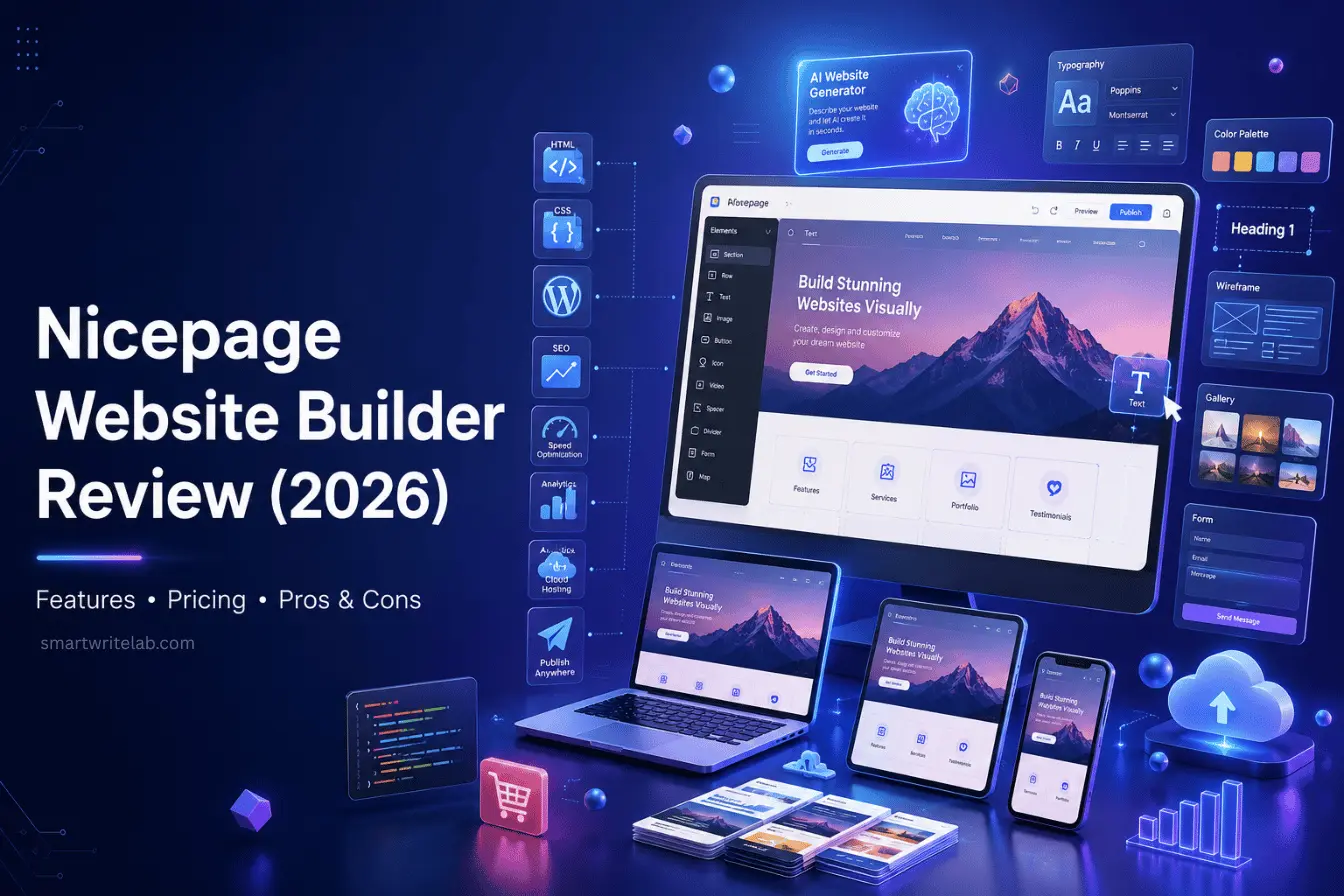
Nicepage Website Builder Review (2026): Features, Pricing, Pros & Cons
Disclosure: This is a sponsored article. SmartWriteLab received compensation from Nicepage for publishing this content. Our review reflects our independent evaluation of the product.
If you’ve spent any time browsing website builder forums lately, you’ve probably run into the name Nicepage more than once. It’s not as loud as Wix or as hyped as Framer, but it’s quietly built a loyal following among designers and freelancers who want more creative freedom than most drag-and-drop tools allow.
So what’s the actual story here? Is the Nicepage website builder worth your time in 2026, or is it just another crowded entry in an already saturated market? After exploring the platform in depth, poking around the desktop app, the online builder, and the WordPress plugin, here’s an honest, no-fluff breakdown of what it does well, where it stumbles, and who it’s actually built for.
What is Nicepage Website Builder?
Nicepage is a hybrid website builder part desktop application, part online editor, part WordPress and Joomla plugin. That’s actually its defining trait. Instead of forcing you into one workflow, it lets you design offline on Windows or Mac, then export that design as a static HTML site, a WordPress theme, or a Joomla template.
During testing, this flexibility stood out immediately. Most builders lock you into their own hosting ecosystem. Nicepage doesn’t really do that. You can build a page visually and then take the underlying files wherever you want to host them, which is unusual in this space.
Key Features of Nicepage Website Builder
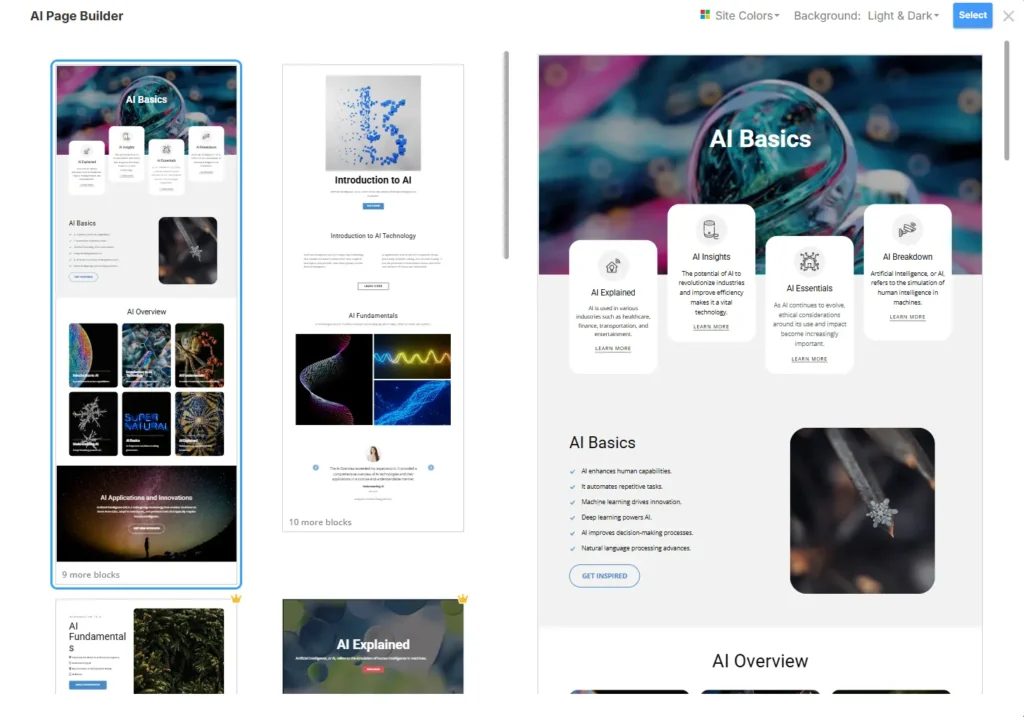
AI Website Generator
Nicepage includes an AI tool that generates a starting layout based on a text description of your business or project. It’s a decent way to skip the blank-page problem, though the output still needs manual polishing before it looks finished.
Responsive Design
Every element can be adjusted independently for desktop, tablet, and mobile breakpoints, which gives you more granular control than the “one-size-fits-all” responsiveness some builders offer.
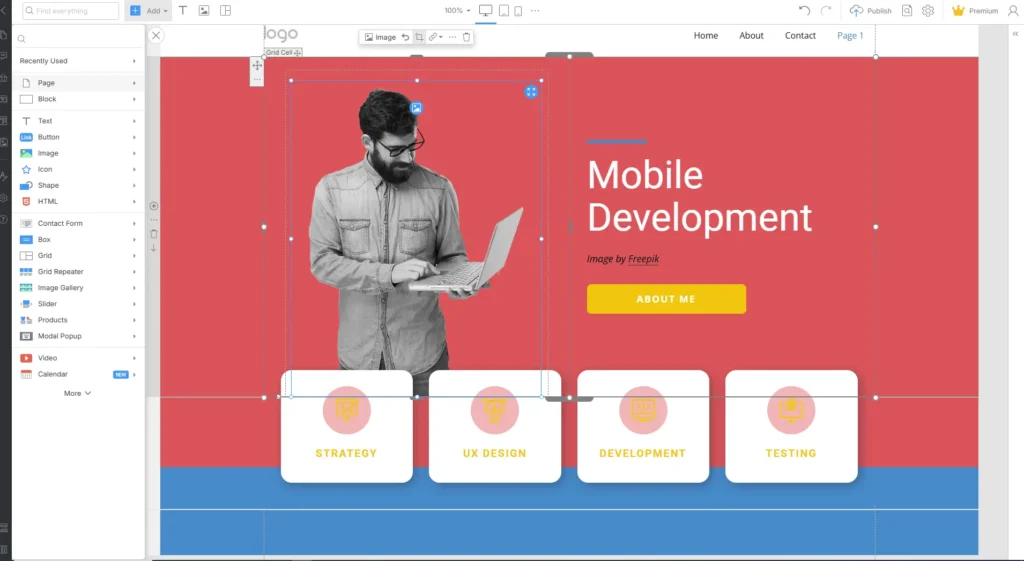
Drag-and-Drop Editor
The core editor uses freehand positioning rather than a strict grid system some competitors force on you. One thing that stands out is how much control you get over spacing and element placement, closer to a design tool than a typical page builder.
WordPress Export
You can design visually and export the result as a full WordPress theme, complete with header, footer, and post templates a genuinely useful feature for anyone planning to eventually manage their site inside WordPress.
HTML Website Export
For people who don’t want a CMS at all, Nicepage generates clean, static HTML/CSS files that can be hosted anywhere.
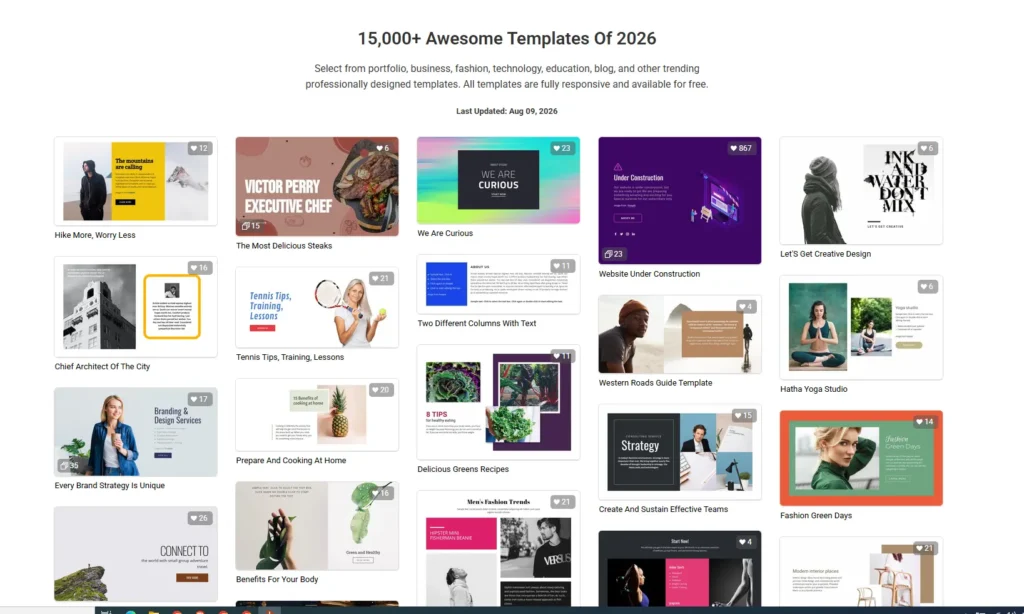
15,000+ Templates
The template library is genuinely large, spanning niches from portfolios to restaurants to SaaS landing pages. Quality varies, but the better templates look current rather than dated.
Landing Page Builder, Blogging Support & Ecommerce
Nicepage covers the basics for landing pages, blog layouts, and simple online stores through WooCommerce or VirtueMart export, though its ecommerce tools are noticeably lighter than dedicated platforms.
Forms, Mobile Editing & SEO Settings
Built-in form blocks, on-the-go mobile editing, and basic on-page SEO fields (meta titles, descriptions, alt text) round out the feature set without requiring extra plugins for the essentials.
Learn More About 6 Best Free AI Website Builders: Top Picks Reviewed
Ease of Use
The learning curve here is a little steeper than tools like Wix or Squarespace. Beginners may struggle at first because the interface leans toward designer-style freedom rather than guided simplicity; there’s no strict template lock that prevents you from breaking a layout.
That said, once the basic concepts click, editing becomes genuinely fast. A practical advantage is that changes apply instantly with no separate “preview mode” delay, so what you see really is what you get.
Design & Templates
Template quality ranges from solid to excellent, particularly in business and portfolio categories. Customization is where Nicepage shines; you’re not stuck swapping colors and text; you can restructure entire sections without fighting the tool.
Responsiveness across templates is generally strong, though some older-looking templates in the library could use a visual refresh.
Performance & Speed
Exported HTML is reasonably clean, which helps with load times compared to bloated page-builder plugins. Image handling includes basic compression, though for serious speed optimization you’ll likely still want a caching or CDN setup on top of the export.
SEO Features
Nicepage covers meta titles, meta descriptions, alt text, and heading structure directly in the editor, which is enough for solid on-page basics. It doesn’t include advanced schema markup tools out of the box, so bloggers running heavy content operations may still want a dedicated SEO plugin after exporting to WordPress.
Official Website: NicePage Website Builder
Nicepage Pricing
Nicepage offers a genuinely usable free plan alongside several paid tiers billed annually. Paid plans start at roughly $6.75 per month when billed annually, scaling up through Business, Pro, and Ultimate tiers that unlock more published sites, higher form-submission limits, ecommerce features, and white-label options.
See Full Details on: NicePage Website Builder Pricing
| Plan | Starting Price | Best For |
|---|---|---|
| Starter (Free) | $0 | Testing the platform,2 Projects |
| Personal | $6.75/mo (billed annually) | Solo bloggers, 1 published site |
| Business | $12.75/mo (billed annually) | Freelancers, 3 published sites |
| Pro | $18.75/mo (billed annually) | Agencies, 5 published sites |
| Ultimate | $31.75/mo (billed annually) | Larger agencies, white-label needs |
A one-time license option is also available for those who prefer paying once over an annual subscription, though it comes with fewer ongoing service updates than the subscription plans.
Pros and Cons
| Pros | Cons |
|---|---|
| Genuine design freedom, not template-locked | Steeper learning curve for total beginners |
| Exports to WordPress, Joomla, and static HTML | Ecommerce tools are basic compared to dedicated platforms |
| Large, frequently updated template library | No native API for developers |
| Usable free plan | Interface feels less modern than some newer builders |
| One-time license option available | Advanced SEO/schema tools are limited |
Best For
Nicepage makes the most sense for freelance designers, small agencies, bloggers who eventually want a WordPress export, and students building portfolio sites. Anyone who wants pixel-level control without writing code will likely appreciate the workflow.
Who Should Avoid It
If you want the simplest possible drag-and-drop experience with zero learning curve, or you’re running a large-scale online store that needs deep ecommerce functionality, you’ll probably be better served by a platform built specifically around that use case.
Nicepage vs Wix
| Feature | Nicepage | Wix |
|---|---|---|
| Design Freedom | High (freehand positioning) | Moderate |
| Learning Curve | Steeper | Easier for beginners |
| WordPress Export | Yes | No |
| Hosting | Own hosting or third-party | Wix hosting only |
Nicepage vs Elementor
| Feature | Nicepage | Elementor |
|---|---|---|
| Platform | Desktop + Online + WordPress | WordPress only |
| Standalone HTML Export | Yes | No |
| Template Library | 15,000+ | Large, marketplace-driven |
| Offline Editing | Yes | No |
Nicepage vs Framer
| Feature | Nicepage | Framer |
|---|---|---|
| Design Approach | Freehand, block-based | Layer and component-based |
| WordPress Export | Yes | No |
| Interface Feel | Traditional | Modern, animation-focused |
| Best For | WordPress-bound projects | Interactive, animation-heavy sites |
Is Nicepage Website Builder Worth It?
Nicepage earns its reputation among designers who value flexibility over hand-holding. The free plan is genuinely usable for testing, and the paid tiers are competitively priced against similar tools. Where it falls short is polish- the interface doesn’t feel as sleek as some 2026-era competitors, and ecommerce depth is limited.
For anyone who wants a builder that doesn’t lock them into one hosting ecosystem and eventually plans to move into WordPress, it’s a solid, practical choice.
Frequently Asked Questions
Conclusion
Nicepage isn’t trying to be the flashiest website builder on the market, and that’s fine- it doesn’t need to be. What it offers instead is real design control, flexible export options, and a pricing structure that doesn’t punish you for wanting more than one site. If you’re comfortable with a slightly steeper learning curve in exchange for genuine flexibility, it’s worth a serious look. If you want the absolute easiest onboarding possible, you might be happier elsewhere.

Ravi Shankar Naval is the founder of Smart Write Lab, where he publishes practical content about AI tools, blogging, SEO, and digital growth. His goal is to help beginners and creators learn modern online strategies through simple, helpful, and easy-to-understand tutorials.