How to Use AI Tools for Blogging (A Practical, Google-Safe Guide)
AI has transformed the way blogging works. Tasks that once took hours—like research, outlining, and editing—can now be done much faster with AI tools. However, simply using AI doesn’t guarantee your blog will be successful. Many people rely too much on it and publish content that doesn’t read well and doesn’t meet the user’s expectations, resulting in their article not ranking at all.
If you really want results, you need to understand how to use AI tools for blogging in a smart and balanced way.
In this guide, you’ll learn:
- What AI tools actually do
- A simple workflow you can follow
- Which tools to use at each step
- Mistakes you should avoid
- How to stay safe with Google and AdSense
If you use all the steps correctly and properly, you can use AI to create good posts that can bring in organic traffic.
Want to learn AI blogging step-by-step as a complete beginner?
I recently created a complete beginner-friendly eBook called AI Blogging Secrets, where I explain AI blogging, SEO, traffic growth, monetization, and the best AI tools in a simple, practical way.
👉 Download the eBook here: Download Now
What Does “Using AI Tools for Blogging” Really Mean?
Before considering how to use AI tools for blogging, it is important to understand how these tools actually work.
AI can help you:
- Think of a topic idea
- Create an outline
- Write a rough draft
- Improve SEO
- Make the content easier to read
- Create images
- Review performance
But here’s the important part:
- AI doesn’t replace you
- It helps you work faster
Once you understand this, everything else becomes easy.
Why Bloggers Are Using AI More Than Ever
There’s a lot of competition in blogging these days. To rank on Google, your content needs to be:
- Useful
- Well-organized
- SEO-friendly
- Consistent
AI makes it all easier.
1. It Saves Time
Research and writing can be time-consuming, so AI helps you with both tasks so you can focus on creating quality content quickly.
2. It Helps You Stay Consistent
While posting regularly can be a bit challenging, you can use AI to maintain a schedule that makes your work easier.
3. It Supports SEO
Many AI tools tell you about good keywords, headings, and a better structure.
4. It Gives You Ideas
If you ever get stuck on a topic, AI can quickly provide solutions you never thought of.
That’s why learning how to use AI tools for blogging has become so important.
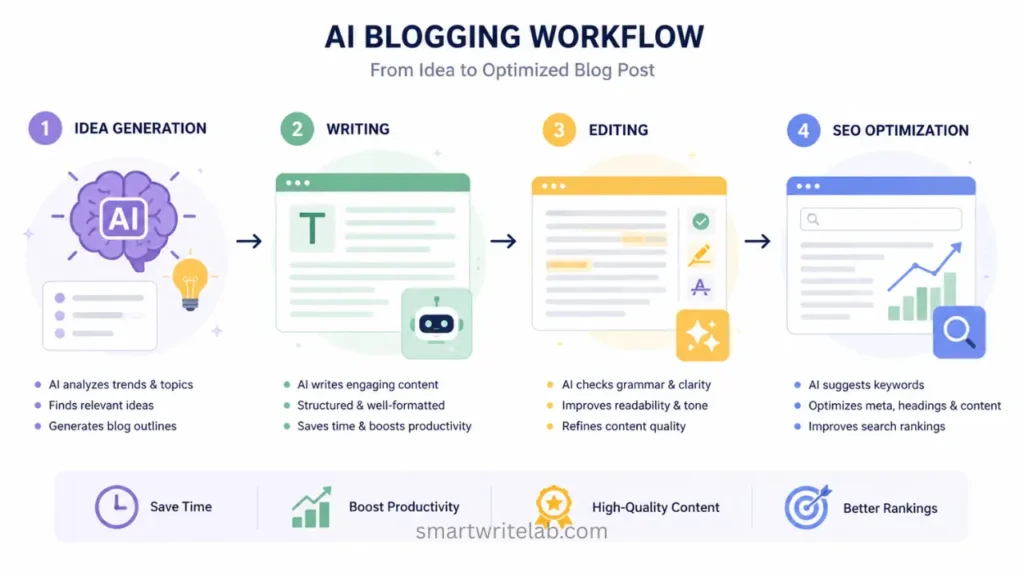
Step-by-Step Guide: How to Use AI Tools for Blogging
So, let’s take a step-by-step look at how a successful blogger uses AI tools.
Step 1: Start with Keyword Research
Every blog post starts with a keyword. So, the first thing you need to do is search for keywords.
Instead of guessing, use tools to find:
- Low-competition keywords
- Long-tail keywords
- Clear search intent
For example:
How to use AI tools for blogging
Before writing, please check that:
- What people are actually looking for
- What’s already ranking
- What is missing from the existing content?
AI can suggest ideas, but you should still verify them with real data.
Step 2: Build a Clean Outline
Once you’ve found your keyword, you should develop a proper structure and use AI to create outlines. However, don’t use those outlines directly; adjust them.
A solid outline usually includes:
- Introduction
- Problem or context
- Step-by-step full process
- Real Examples
- FAQs
- Conclusion
Having these elements in your content makes it easier to understand and more useful.
Step 3: Use AI for Drafting (Not Publishing)
AI is a great option for drafting, but it shouldn’t be published directly.
A better way:
- Generate a draft with AI
- Rewrite it in your own style
- Add clarity and examples
Doing this makes your content seem original and avoids a robotic tone.
Step 4: Add Your Own Insight
Google prefers content written by humans, not just created text. And this is where writers make the most mistakes.
So, add:
- Simple explanations
- Real examples
- Clear steps
For example, instead of saying:
“AI improves blogging.”
Say something like:
“AI can create outlines in seconds, which saves time and lets you focus more on writing better content.”
This extra detail written by you makes your content look good and human-written.
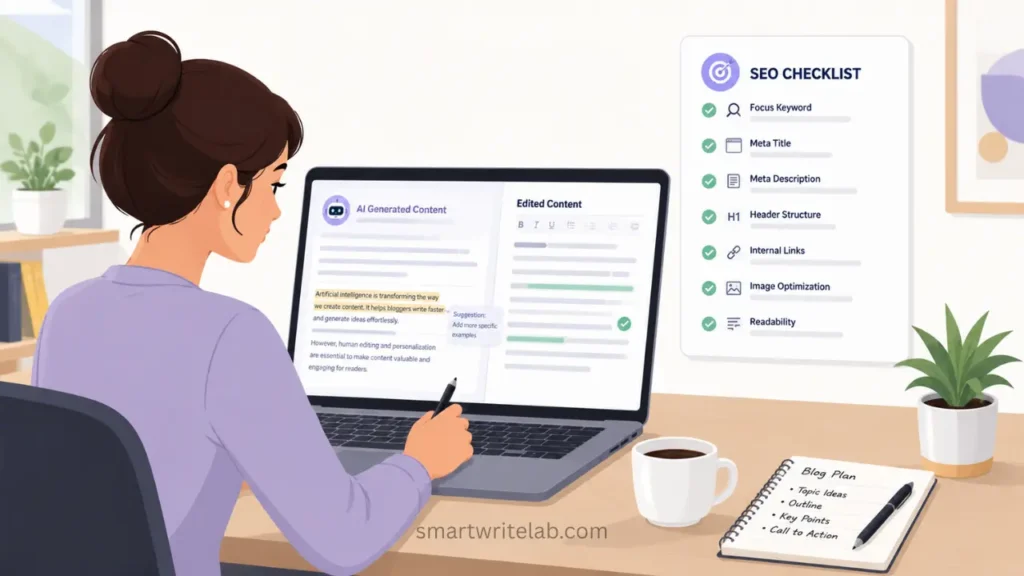
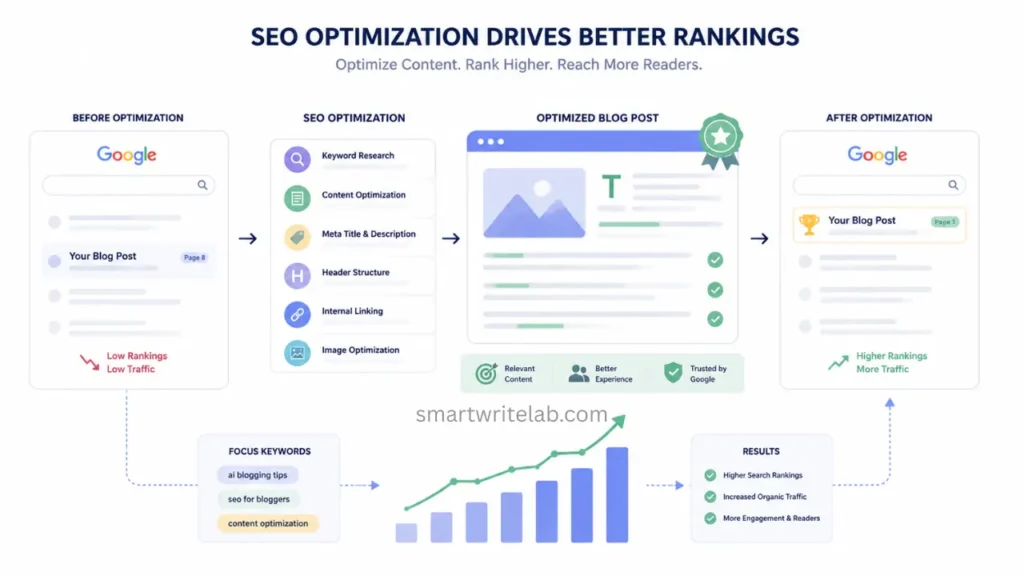
Step 5: Optimize for SEO
Once you have your content ready, it’s important to optimize it.
Focus on:
- Title with your keyword
- Meta description
- Clean URL
- Internal links
- Natural keyword placement
Example URL:/how-to-use-ai-tools-for-blogging/
Use keywords naturally; never force them.
5 Best Free AI Tools for Content Optimization (SEO-Friendly Guide)
Step 6: Edit for Readability
Editing is where your content truly becomes good and trustworthy.
Check for:
- Repetition
- Awkward sentences
- Grammatical problems
Also, edit your content carefully:
- Short paragraphs
- Clear headings
- Bullet points were needed
This makes your posts easier to read and keeps readers engaged for longer.
Step 7: Add Visuals
Images make your blog more engaging and easier to understand.
You can use AI tools to create:
- Illustrations
- Diagrams
- Infographics
Just make sure:
- They match your content
- They’re optimized (like WebP format)
- They include alt text
Step 8: Use Internal Linking
Your post should link to other posts on your site, but make sure the post you’re linking to is related to it. Doing so significantly improves your post’s SEO.
For example:
- AI tools for students
- AI image SEO
- Canva tutorials
Doing this helps both readers and search engines understand your post correctly. I personally use this process to write all my blog posts, the results of which are before you.
Best AI Tools for Blogging
Each tool is designed for a different purpose. Below are some tools and their functions to help you understand which tool is best for your specific needs.
Writing Tools
- ChatGPT → ideas, drafts, structure
SEO & Research Tools
- SEMrush → keyword research
- Ahrefs → competitor analysis
Design Tools
- Canva → blog images, graphics
Productivity Tools
- Notion AI → planning, notes, workflow
Using these tools correctly and in a mix can make a big difference to your blog and content.
Common Mistakes to Avoid
Here are some things that, if not taken into account, can cause your blog to struggle to rank:
- Posting direct raw AI content
- Stuffing keywords everywhere
- Ignoring what users actually want
- Writing vague or generic posts
- Skipping internal links
Avoiding these mistakes can significantly improve your results.
A Simple Google-Safe Strategy
If you want to stay on the safe side, you should:
- Focus on helping people
- Add your own insights
- Don’t automate everything
- Write naturally
- Keep SEO balanced
Best AI SEO Tools for New Websites (Free & Beginner-Friendly)
Benefits of Using AI Tools for Blogging
When used properly, AI can:
- Save time
- Improve content quality
- Help with SEO
- Keep you consistent
- Make idea generation easier
That’s why learning how to use AI tools for blogging is worth it.
Conclusion
There’s no doubt that AI is a powerful tool these days, but using it without understanding it won’t get you very far. Those who use it with the process will never face any problems.
Once you understand how to use AI tools for blogging, you can:
- Write better posts
- Rank higher on Google
- Grow your traffic
- Build authority over time
AI is not a shortcut; using it correctly is wise, and that’s what truly makes a difference.
If you enjoyed our posts, please let us know by commenting. If you have any questions, please contact us. Thank you.

Ravi Shankar Naval is the founder of Smart Write Lab, where he publishes practical content about AI tools, blogging, SEO, and digital growth. His goal is to help beginners and creators learn modern online strategies through simple, helpful, and easy-to-understand tutorials.