Hemingway Editor Review (Real Testing & Honest Verdict)
Clear writing matters more than ever. Whether you’re a blogger, student, or content creator, readers expect content that is easy to understand and quick to read. This is where tools like Hemingway Editor claim to help.
You may have heard that Hemingway Editor can “fix complex writing” and “make content bold and clear.” But the real question is:
Does Hemingway Editor actually improve writing clarity, or is it just another basic editing tool?
In this Hemingway Editor review, I’ll explain what the tool does well, where it falls short, and who should (and should not) use it—based on real, practical usage.
Grammarly AI Checker Review (Real Testing & Honest Results)
What Is Hemingway Editor?
Hemingway Editor is a writing tool designed to improve readability and clarity. Unlike grammar-focused tools, it does not try to fix every spelling or punctuation mistake.
Instead, Hemingway highlights:
- Long and complex sentences
- Passive voice usage
- Hard-to-read phrases
- Overuse of adverbs
The goal is simple:
Make writing easier to read for a general audience.
How the Hemingway Editor Works (Simple Explanation)
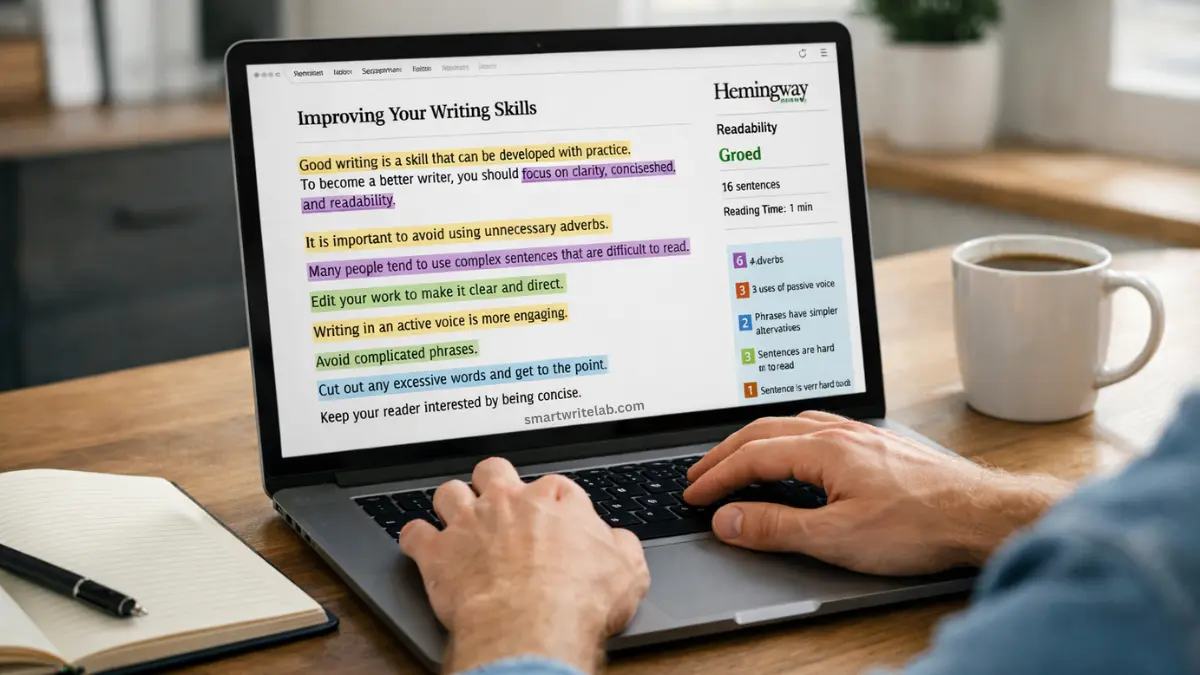
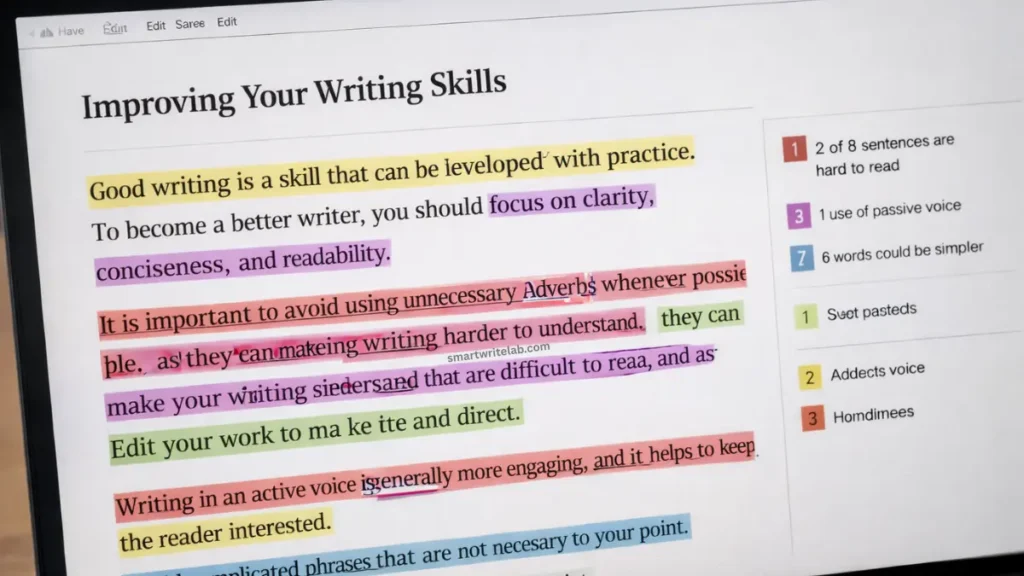
Hemingway analyzes text and visually highlights issues using color codes:
- Yellow: Hard-to-read sentences
- Red: Very hard-to-read sentences
- Blue: Passive voice
- Purple: Complex words or phrases
- Green: Adverbs
It also provides a readability grade, showing the education level required to understand the content.
This makes Hemingway especially popular among bloggers who want simple, scannable content.
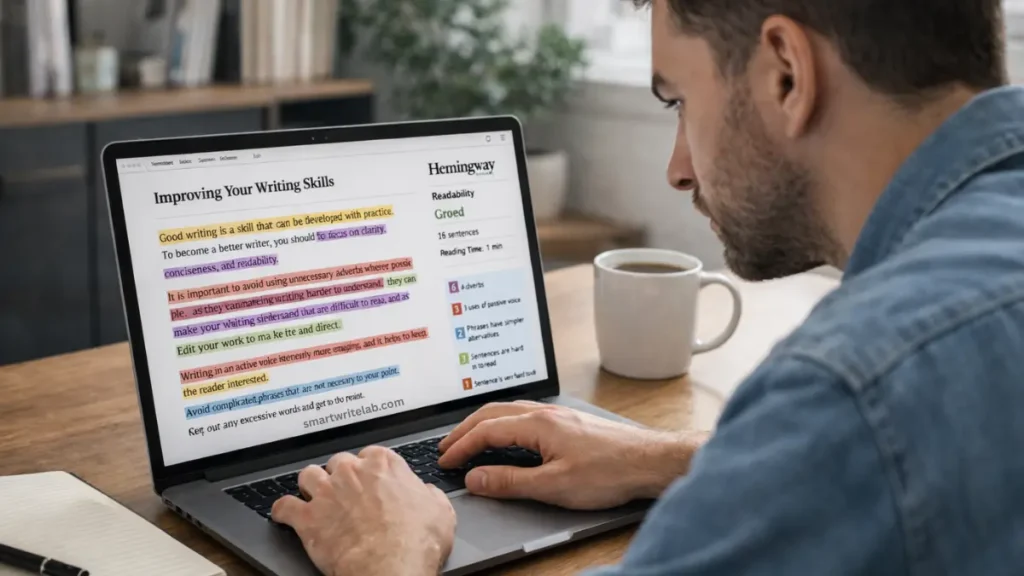
My Real Experience Using Hemingway Editor
Here’s the honest part.
I tested Hemingway on:
- Blog posts
- Tutorials and guides
- Informational SEO content
What I Noticed:
- It quickly identifies overly long sentences
- It forces you to rethink sentence structure
- It improves readability when used selectively
However:
- Not every suggestion improves meaning
- Technical content often gets flagged unfairly
- Over-editing can make writing sound unnatural
This shows that Hemingway works best as a guidance tool, not a strict rulebook.
What Hemingway Does Well
1. Improves Readability
Hemingway is excellent at:
- Breaking long sentences
- Reducing complexity
- Making content easier to scan
For blog posts aimed at beginners, this is extremely helpful.
2. Encourages Active Voice
The tool highlights passive voice clearly, helping writers:
- Sounds more direct
- Improve engagement
- Write with confidence
This is useful for instructional and educational content.
3. Keep Writing Simple
If you tend to over-explain or write academically, Hemingway Editor pushes you toward clear, simple language.
For US-based blogs targeting general readers, this is a big plus.
Where Hemingway Falls Short
1. No Grammar or Spell Check
Hemingway does not replace grammar tools like Grammarly.
It will not:
- Catch spelling mistakes
- Fix punctuation errors
- Correct grammar rules
You need another tool for that.
2. Over-Simplification Risk
If you follow every suggestion blindly:
- Writing may lose personality
- An important nuance may disappear
- Content can sound robotic
This is especially risky for:
- Technical topics
- In-depth guides
- Opinion-based articles
3. Not SEO-Aware
Hemingway does not understand:
- Keywords
- Search intent
- SEO structure
It may flag necessary SEO phrases as “complex,” even when they are important.
Hemingway Editor for Bloggers: Is It Worth It?
Yes, but only when used correctly.
Useful for Bloggers When:
- Writing beginner-friendly content
- Improving readability
- Reducing bounce rate
- Making long articles more scannable
Not Ideal When:
- Writing technical SEO content
- Explaining advanced concepts
- Creating comparison or review-heavy posts
Best practice:
Use Hemingway after writing, not while drafting.
Hemingway Editor for Students
For students, Hemingway can be helpful but limited.
Pros for Students:
- Improves clarity in essays
- Reduces long sentences
- Helps avoid passive voice
Cons:
- May oversimplify academic writing
- Not suitable for a formal research tone
Students should use it carefully and not rely on it alone.
Hemingway vs Grammarly (Quick Comparison)
| Feature | Hemingway | Grammarly |
|---|---|---|
| Grammar check | No | Yes |
| Readability focus | Strong | Moderate |
| Passive voice detection | Yes | Yes |
| SEO awareness | No | Limited |
| Best use case | Clarity & simplicity | Overall writing quality |
They work best together, not as replacements.
Grammarly AI Checker vs AI Detectors: Which One Is More Accurate? (2026)
Free vs Paid Version: What’s the Difference?
Free Version (Online)
- Paste and edit text
- Color-coded suggestions
- Readability score
Paid Version (Desktop App)
- Offline editing
- Export options
- Slightly smoother workflow
For most bloggers, the free version is enough.
Common Mistakes People Make with Hemingway
Avoid these mistakes:
- Fixing every highlighted sentence
- Lowering the readability grade too aggressively
- Ignoring context and meaning
- Using it before finishing the draft
Remember:
Clear writing is good. Over-simplified writing is not.
Is Hemingway Editor Safe for SEO?
Yes.
Hemingway:
- Does not generate content
- Does not rewrite automatically
- Does not create duplication
It simply helps improve clarity.
When combined with human judgment, it supports people-first SEO, which aligns with Google’s Helpful Content system.
Who Should Use Hemingway?
Recommended For:
- Bloggers targeting beginners
- Content creators writing long guides
- Anyone struggling with clarity
Not Ideal For:
- Technical writers
- Academic researchers
- Advanced niche content creators
Final Verdict: Is Hemingway Editor Worth Using?
Yes, with realistic expectations.
Hemingway is not a complete writing solution.
It is a clarity tool, not a grammar checker or SEO optimizer.
Used correctly, it:
- Improves readability
- Helps writers simplify content
- Makes blogs more user-friendly
Used blindly, it:
- Can oversimplify writing
- Remove important nuance
If you treat Hemingway as a helper, not a boss, it can significantly improve your content quality.
Frequently Asked Questions (FAQs)
Is Hemingway Editor free?
Yes, the online version is free.
Does it replace Grammarly?
No. It complements Grammarly.
Is Hemingway Editor good for SEO?
Indirectly, yes, by improving readability and engagement.
Can it rewrite content automatically?
No. All changes are manual.
Is it suitable for professional writing?
Yes, if used selectively.

Ravi Shankar Naval is the founder of Smart Write Lab, where he publishes practical content about AI tools, blogging, SEO, and digital growth. His goal is to help beginners and creators learn modern online strategies through simple, helpful, and easy-to-understand tutorials.