
10 Best Free SEO Tools for Beginners (Tested & Compared)
If you’re just starting your website or blog, you don’t need expensive software to grow.
What you need are the best free SEO tools for beginners that actually help you:
- Find keywords
- Optimize content
- Fix technical errors
- Track performance
- Improve rankings
The problem?
Most “best free SEO tools for beginners” lists are generic.
They just list 20 tools without explaining:
- Which tool is best for beginners
- Which tools are actually free
- What limitations exist
- How to use them properly
This guide is different.
Below, you’ll find the best free SEO tools for beginners, explained in simple language with real use cases and honest limitations.
What Makes a Good Free SEO Tool?
Before choosing any SEO tools for beginners, understand this:
A good free SEO tool should:
✔ Be easy to use
✔ Have a clean interface
✔ Offer real data (not fake metrics)
✔ Help solve a specific SEO problem
✔ Does not require advanced technical knowledge
If a tool feels complicated, it’s not beginner-friendly.
1. Google Search Console (Best Overall Free SEO Tool)
If you only use one SEO tool as a beginner, use this.
Google Search Console helps you:
- See which keywords your site ranks for
- Check impressions and clicks
- Find indexing errors
- Submit sitemap
- Monitor page performance
Why it’s perfect for beginners:
It shows real data directly from Google.
Limitation:
It does not give keyword volume.
Best for:
Beginners who want to understand how Google sees their website.
2. Google Keyword Planner (Best for Free Keyword Research)
If you want to find keywords, this is one of the best free SEO tools.
You can:
- Find related keywords
- See search volume ranges
- Discover new keyword ideas
Limitation:
Exact volume requires ads account.
Best for:
Finding keyword ideas like:
- easy seo toolsle Search Console – Best for Performance Tracking
- best seo tools free
- seo tools for beginners
Google Search Console is a must-have tool, especially for new creators who want to understand how Google views their website. Among all Free SEO Tools for Beginners, this is the one that shows real ranking positions, clicks, impressions, indexing status, and errors.
Why it’s helpful:
- Shows the keywords your site already ranks for
- Helps spot problems that may hurt rankings
- Improves visibility without paying for tools
3. Ubersuggest (Limited Free Version)
Good beginner SEO tool for:
- Keyword ideas
- Basic SEO audit
- Domain overview
Limitation:
Daily search limit.
Best for:
Quick competitor analysis.e Analytics – Best for Visitor Insights

4. AnswerThePublic (Content Ideas Generator)
This tool helps you discover:
- Questions people ask
- Long-tail keyword ideas
- “How to” queries
Example:
If you type “SEO”, it shows:
- How to do seo for free
- seo tools for small business
- best free seo tool for bloggers
Limitation:
Limited free searches per day.
Best for:
Content topic generation.
Best 5 AI Writing Tools Reviewed: Best Choices
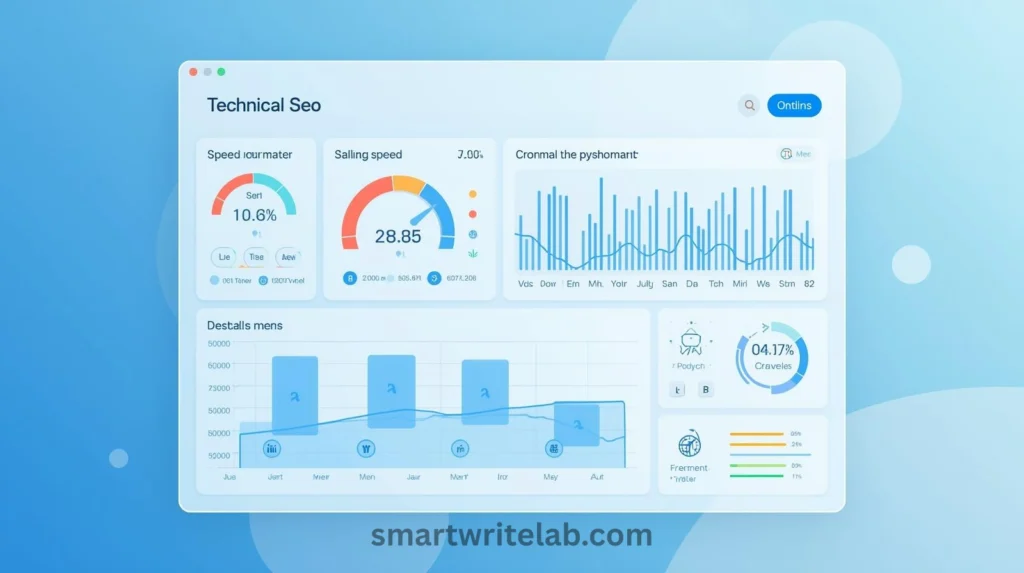
5. Screaming Frog (Free Version for Technical SEO)
The free version allows crawling up to 500 URLs.
It helps you:
- Find broken links
- Detect missing meta tags
- Check duplicate content
Limitation:
Advanced features require a paid version.
Best for:
Website technical audit for beginners.
6. Yoast SEO (WordPress Plugin)
If you’re using WordPress, this is essential.
It helps:
- Optimize meta titles
- Improve readability
- Set focus keywords
- Create XML sitemap
Limitation:
An advanced schema requires a premium.
Best for:
On-page SEO for beginners.
7. Rank Math (Alternative to Yoast)
Very powerful free SEO plugin.
Offers:
- Schema markup
- Advanced SEO settings
- Built-in optimization score
Best for:
Beginners who want more control.
8. Google Trends
One of the most underrated easy SEO tools.
It helps:
- Identify trending topics
- Compare keyword interest
- Discover seasonal search behavior
Perfect for:
Bloggers who want traffic spikes.
9. Ahrefs Webmaster Tools (Free Version)
Ahrefs offers limited free tools:
- Backlink checker
- Site audit
- Keyword overview (limited)
Best for:
Understanding backlink profile.
10. Canva (SEO Image Optimization Support)
While not a direct SEO tool, Canva helps:
- Create optimized blog images
- Add alt text
- Improve engagement
Better visuals improve SEO indirectly.
Comparison Table (Quick Overview)
| Tool | Best For | Completely Free? | Beginner Friendly? |
|---|---|---|---|
| Google Search Console | Performance tracking | Yes | Yes |
| Google Keyword Planner | Keyword research | Yes (limited) | Yes |
| Ubersuggest | SEO overview | Limited | Yes |
| AnswerThePublic | Content ideas | Limited | Yes |
| Screaming Frog | Technical audit | Limited | Medium |
| Yoast SEO | On-page SEO | Yes | Yes |
| Rank Math | Advanced SEO control | Yes | Yes |
| Google Trends | Trend analysis | Yes | Yes |
| Ahrefs Webmaster | Backlink audit | Limited | Medium |
How to Do SEO for Free (Step-by-Step for Beginners)
If you want to do SEO completely free, follow this workflow:
Step 1: Use Google Keyword Planner for keyword ideas
Step 2: Validate trend using Google Trends
Step 3: Write an optimized article
Step 4: Use Yoast or Rank Math for on-page SEO
Step 5: Submit sitemap in Search Console
Step 6: Monitor performance weekly
You don’t need paid tools initially.
Powerful Way to Make Money with AI Tools
Common Mistakes Beginners Make
- Using too many tools at once
- Ignoring Search Console data
- Targeting high competition keywords
- Not optimizing titles
- Not improving internal linking
Stick to a simple workflow.
FAQs
Q1. What are the best Free SEO Tools for Beginners?
Google Search Console is the best starting point because it provides real performance data directly from Google.
Q2. Can I do SEO completely free?
Yes. By using tools like Google Search Console, Keyword Planner, and WordPress SEO plugins, beginners can implement SEO strategies without paid tools.
Q3. Are free SEO tools accurate?
Most official tools, like Google Search Console and Google Keyword Planner, provide reliable data. Third-party free tools may have limitations.
Q4. Which SEO tool is easiest to use?
For beginners, Rank Math or Yoast SEO are among the easiest SEO tools for WordPress.
Q5. When should I upgrade to paid SEO tools?
Once your website starts generating traffic or revenue, you can consider paid tools for deeper competitor analysis.
Final Verdict: Which Free SEO Tool Should You Start With?
If you’re completely new:
Start with:
- Google Search Console
- Rank Math (if on WordPress)
- Google Keyword Planner
These three alone are enough to begin SEO properly.
The best free SEO tools are not the ones with the most features —
They’re the ones that help you take action consistently.

Ravi Shankar Naval is the founder of Smart Write Lab, where he publishes practical content about AI tools, blogging, SEO, and digital growth. His goal is to help beginners and creators learn modern online strategies through simple, helpful, and easy-to-understand tutorials.





One Comment